June 2026: What’s new in AntsRoute?
Blog > Product updates > June 2026: What’s new in AntsRoute?
June 2026: What’s new in AntsRoute?
Published on 17 June 2026 • Reading time: 7 min read
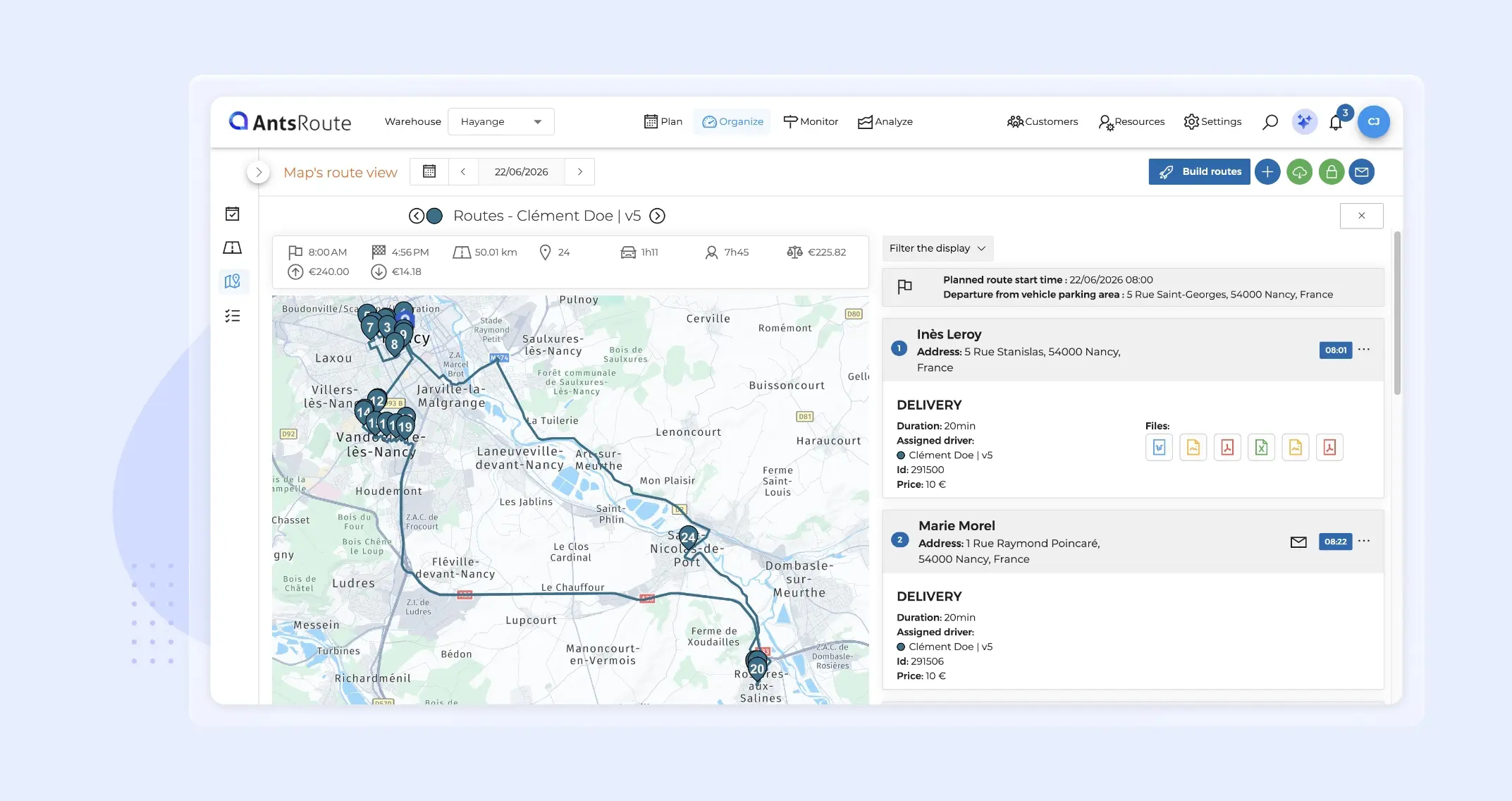
This month, we’ve rolled out several enhancements to help you save time every day, improve visibility over your field operations, and gain greater flexibility in your planning processes.
What’s new: additional exports from the Analyse module, an improved mobile experience, simplified attachment management, notification tracking, and advanced customisation of service type time windows.
Discover everything that’s changing in AntsRoute.
Article overview:
- More flexibility for service type time windows
- Add up to 10 attachments with a single drag-and-drop action
- Export route tables from the Analyse module
- A new experience for editing addresses from the mobile app
- Sent notifications now visible in all order tables
- Other improvements
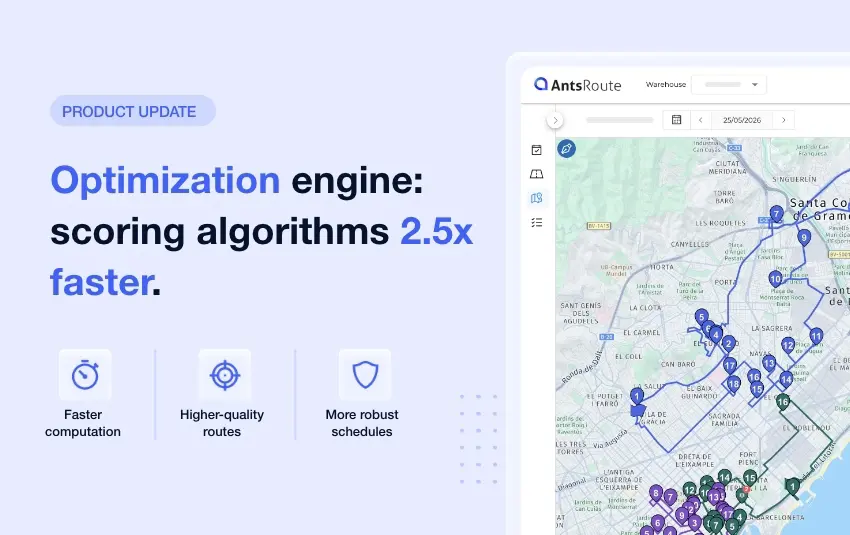
- Reminder: a scoring engine up to 2.5 times faster
More flexibility for service type time slots
We’ve enhanced the way time slots are managed for service types, giving you greater flexibility when planning deliveries or orders.
This improvement applies to two features:
- The time slots used when searching for availabilities during appointment scheduling.
- The default time slot used when scheduling an appointment from the basket or as part of a recurring service.
Customise the time slots used for availability searches
Until now, when a service type had time windows configured for appointment booking, these were automatically used by the scoring engine and no additional time slots could be added during scheduling.
From now on, just like service duration or required skills, you can add extra time slots to broaden the range of available appointment options.
Note: if you use the feature that allows you to adjust the time slot during scheduling, the time slots defined in the service type will no longer be taken into account when searching for availability.
Edit the default time slot of a service type
This enhancement also applies to the default time window used when scheduling an appointment from the basket or when creating recurring appointments.
Previously, when a service type included a default time slot, it was applied automatically and the corresponding field was hidden.
Now, the service type’s time slot is pre-selected by default, but the field remains visible and can be changed at any time.
This gives you the best of both worlds: you can keep the settings defined in your service types while easily adapting them to the specific requirements of each appointment.
➡️ To learn more about service types, read this article.
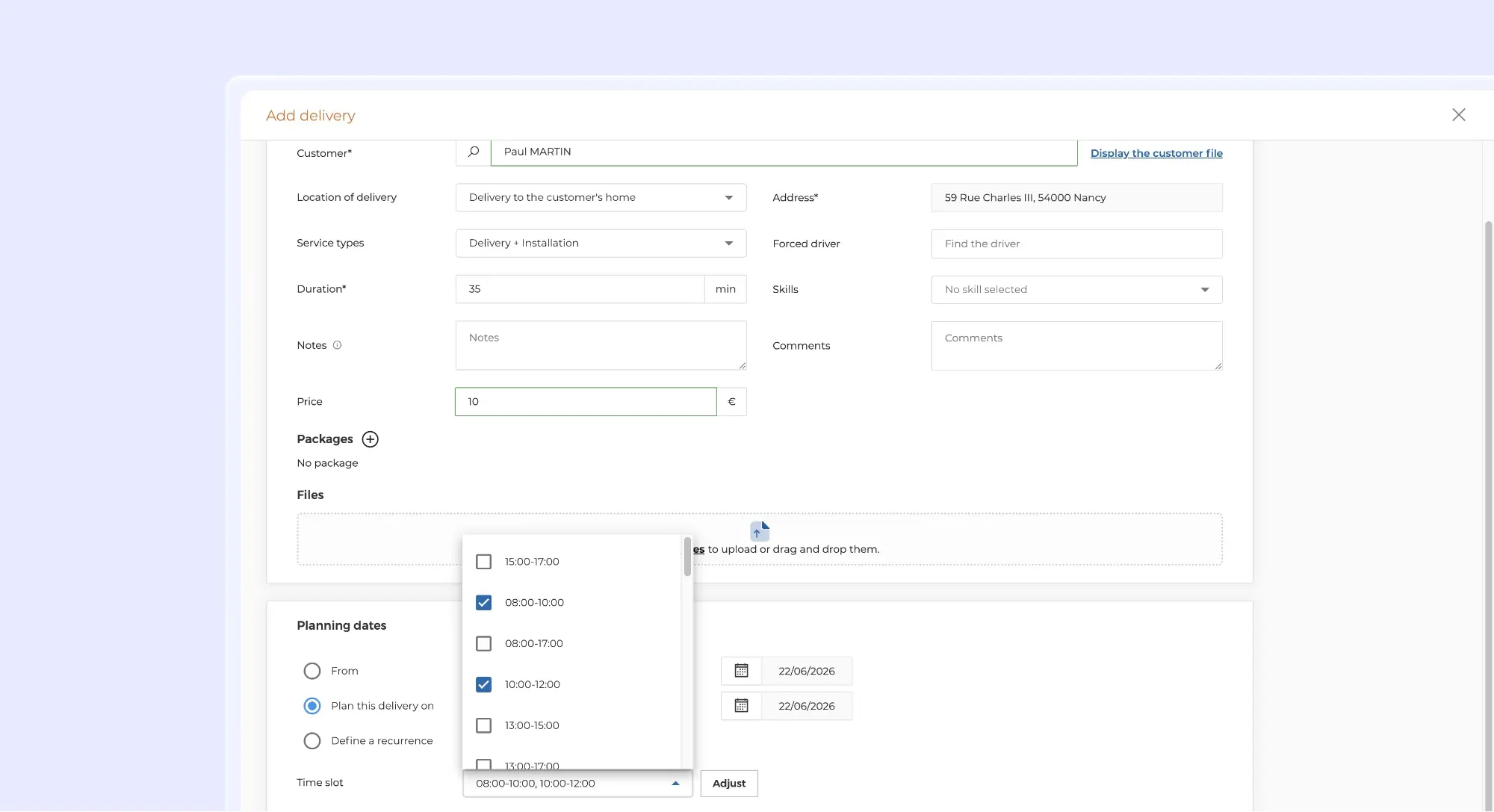
Selection of multiple time slots when scheduling a delivery.
Add up to 10 attachments with a single drag and drop
Managing attachments is now faster and more convenient.
Until now, documents associated with orders, customers or photo-type custom fields had to be uploaded one at a time. From now on, you can add up to 10 files simultaneously using drag and drop.
This enhancement makes it much easier to upload documents when multiple files need to be linked to the same appointment.
The interface has also been refreshed.
Once a document has been uploaded, three actions are available directly from the attachment:
- View the attachment
- Download the attachment
- Delete the attachment
The new View feature allows you to open and review a document instantly, without having to download it first.
➡️ To learn more about attachment management, read this support article.
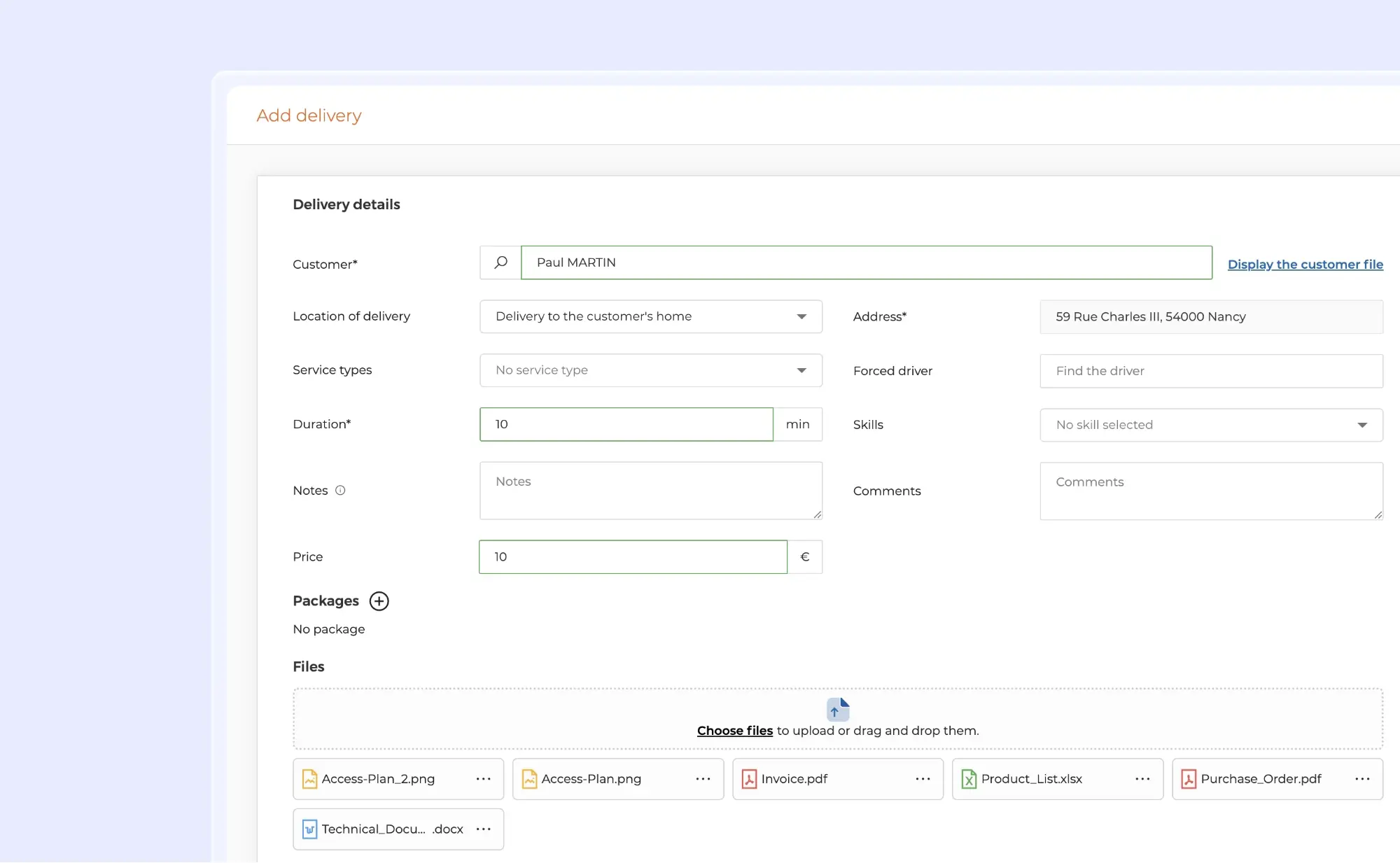
Scheduling a delivery with attached documents.
Export route tables from the Analyse module
Would you like to make better use of your route data or carry out your own analysis in Excel? You can now do so thanks to a new export option available directly from the Analyse module.
To access it:
Analyse > Route report > Select a date > Export route table
Each row in the exported file represents a route and includes all the information displayed in the AntsRoute table, such as: Route status; Driver; Number of deliveries; Cancelled deliveries; Distance travelled; Route start time; Route end time; Working time; Driving time; And more.
For the most important metrics, the export distinguishes between planned and actual values:
- Deliveries
- Distance
- Route start time
- Route end time
- Working time
- Driving time
This enhancement is particularly useful for comparing planned schedules with actual field execution and quickly identifying operational variances.
➡️ To learn more about this feature and route history, read this article.
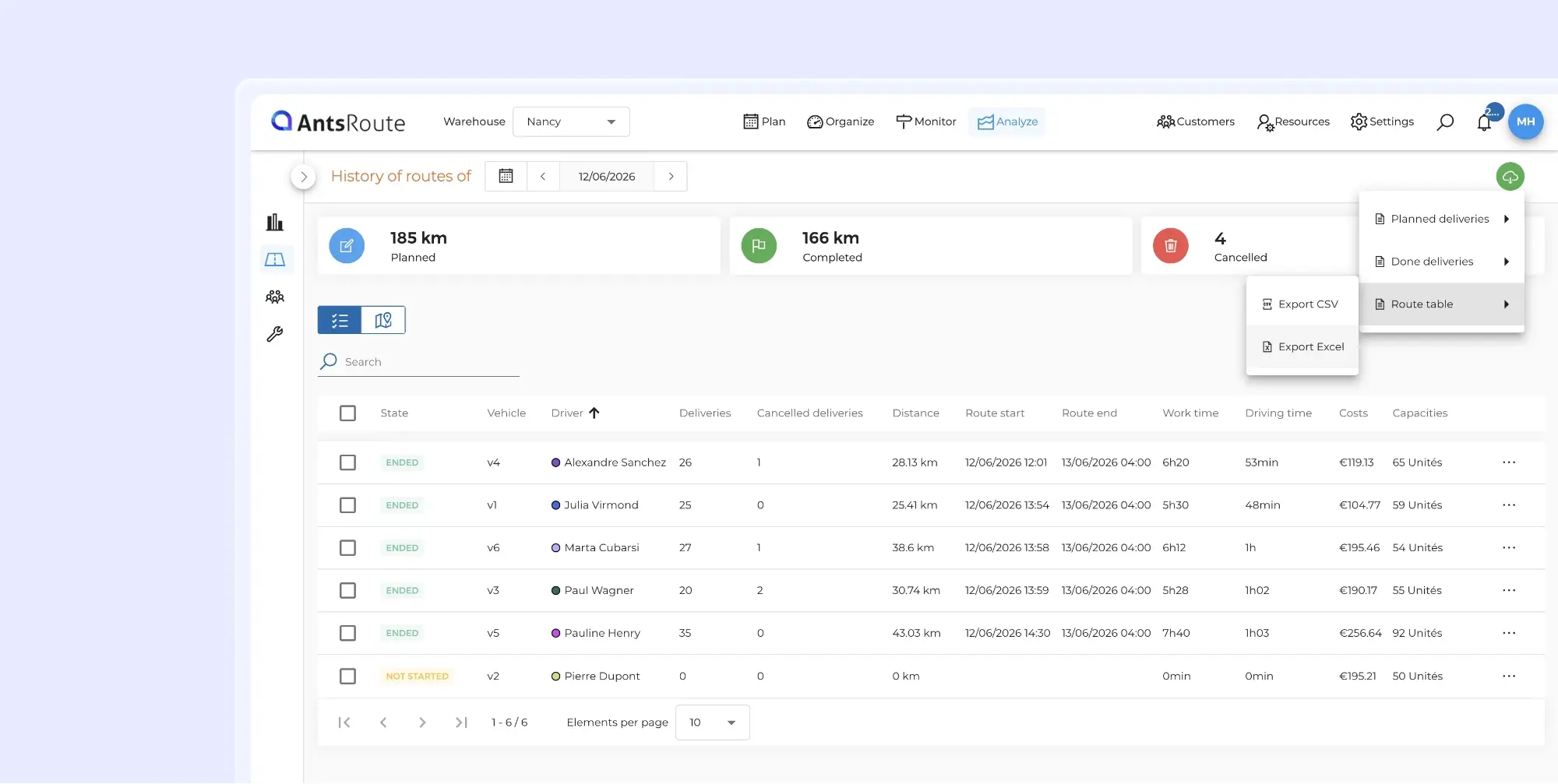
Exporting route data from AntsRoute.
A new experience for editing addresses from the mobile app
When a driver or field agent notices that a customer’s address is incorrect during a route, they can already update it directly from the mobile app.
Following feedback from our users, this feature has been completely redesigned to provide a faster and more intuitive experience in the field.
From the appointment details screen, simply open the customer information and click Edit address.
The driver can then view:
- The customer’s current address on the map
- His own location, if geolocation is enabled
To correct the address, three options are now available:
Search for a new address
Drivers can enter a new address in the search field.
Once the address has been selected:
- The map automatically recentres on the new location.
- The marker moves to the updated address.
Precisely adjust the position on the map
If the address is correct but the GPS location needs adjusting, users can enable free repositioning mode by clicking the first floating button on the right-hand side of the map.
The marker then turns orange, allowing the user to move the map and fine-tune the customer’s exact location.
Once the position has been confirmed, they simply need to click the repositioning button again. The marker turns blue, and the new position is automatically saved as the customer’s location when the changes are saved.
Use your current location
A new option is now available: drivers can use their current GPS location to instantly reposition a customer’s address by clicking the second floating button on the right-hand side of the map.
This option is particularly useful when the driver is already at the customer’s location and wants to correct an inaccurate position in just a few seconds.
The result: fewer manual adjustments, fewer errors, and higher-quality field data.
➡️ To learn more about editing an address from the mobile app, read this support article.
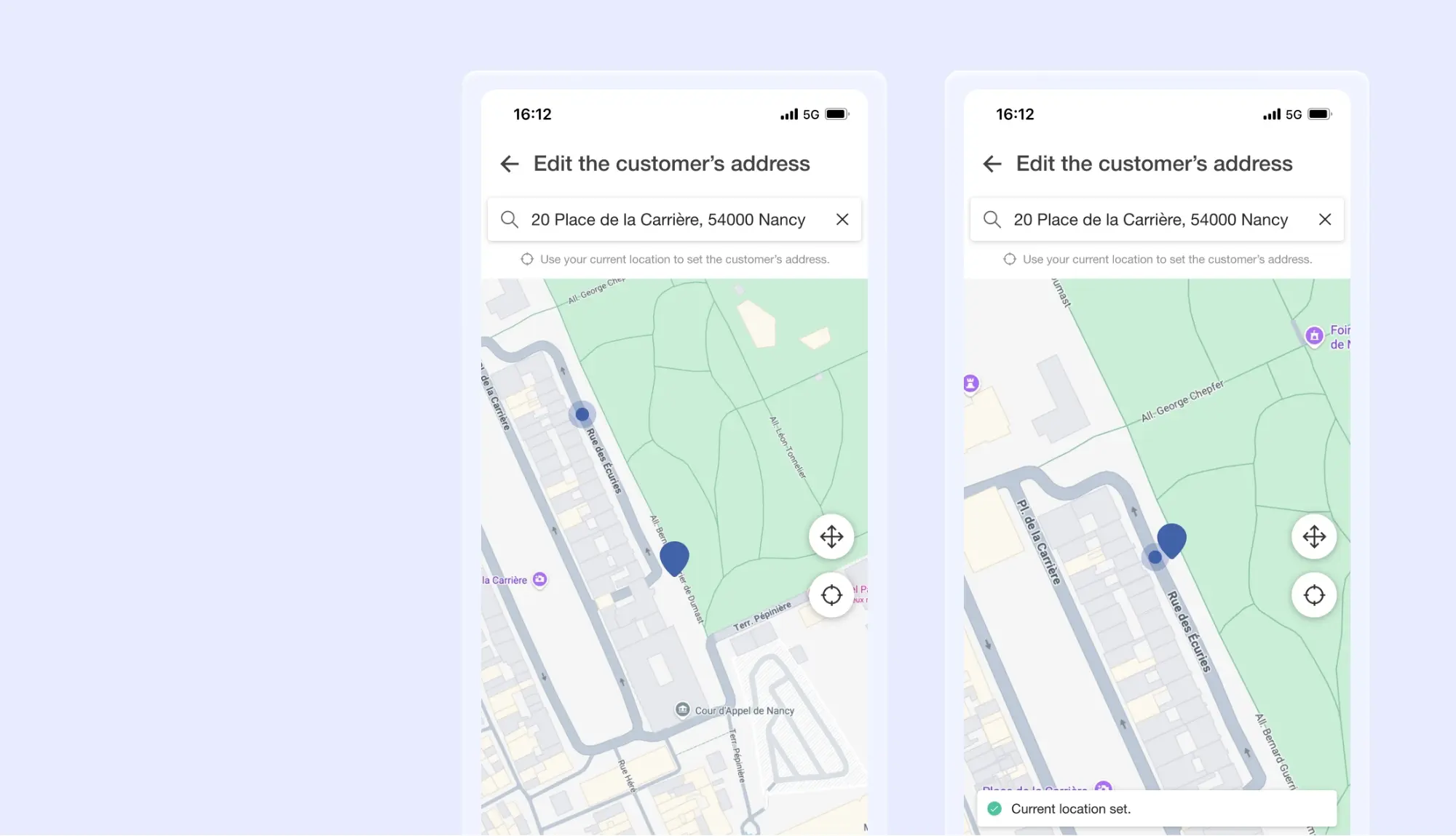
Editing a customer’s address from the AntsRoute mobile app.
Sent notifications now visible in all order tables
A few months ago, we introduced the ability to view sent notifications directly within the customer selection tables used for notifications.
This feature is now available across all delivery or work order tables in AntsRoute.
The Notifications sent column allows you to view:
- The notification type (SMS or email)
- The date and time it was sent
- The template used
- Direct access to the conversation history
To display this information, simply click Modify columns and select Notifications sent.
This enhancement makes it easier to track customer communications and enables teams to quickly check which messages have already been sent.
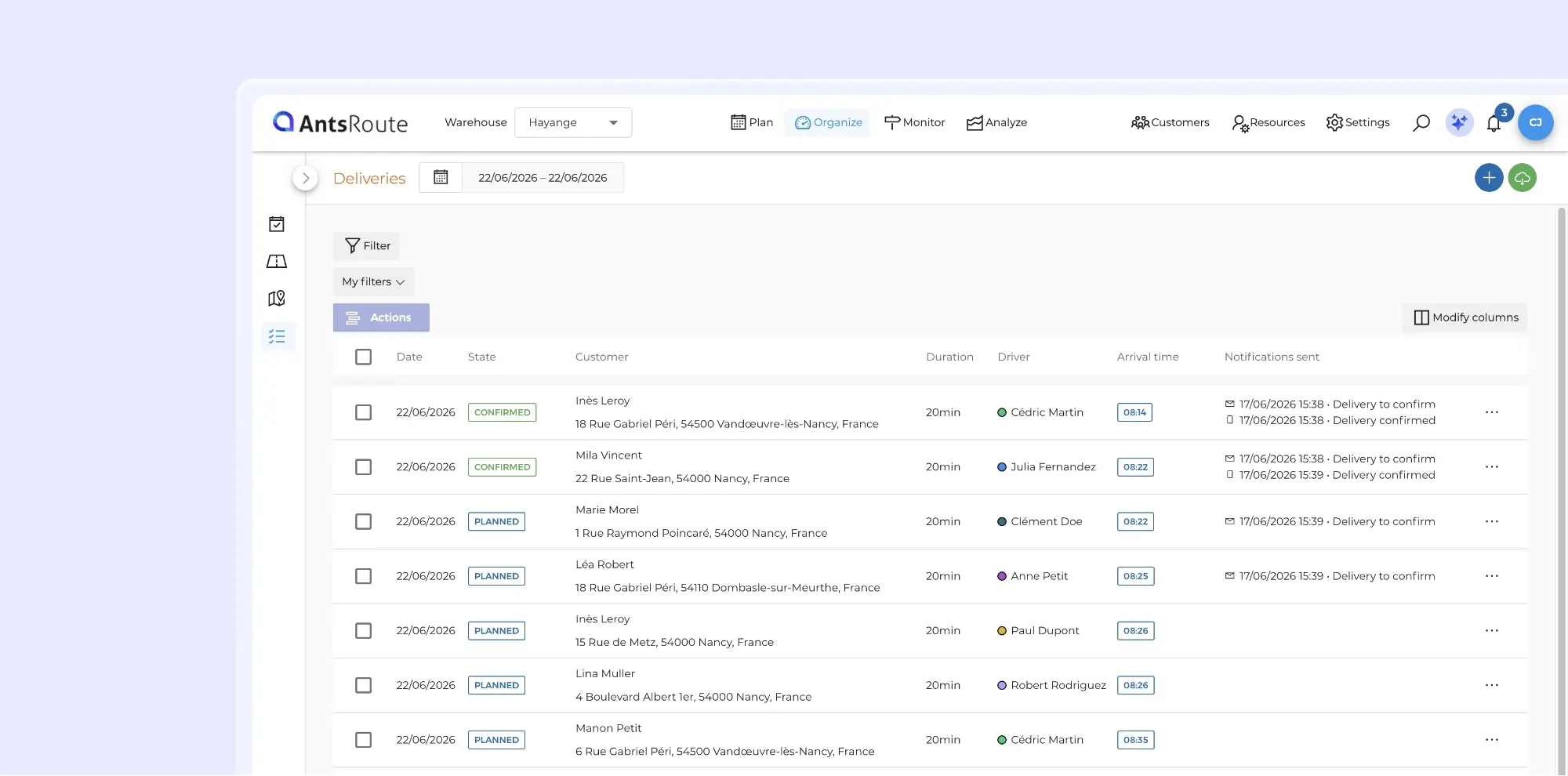
Viewing notifications sent to customers for each delivery.
Other improvements
A more consistent progress bar for Pickup & Delivery routes: In the mobile app, the route progress display for pickup & delivery operations has been updated to align with the web interface. From now on, all load and unload stops are taken into account in the progress bar. This enhancement provides a more accurate view of a route’s actual progress.
Note: when multiple load or unload stops are grouped at the same address, they are counted as a single stop.
From the Agenda and Routes tabs, the actions available when selecting multiple routes have been consolidated into a single menu accessible through the “Actions” button. Only the “Reoptimize” and “Complete” actions remain directly visible above the table. This change simplifies the interface and improves readability.
Reminder: A scoring engine up to 2.5 times faster
If you missed our previous announcement, our R&D team recently rolled out a major enhancement to the AntsRoute scoring engine.
In field operations, every new appointment can impact the entire schedule: time slots, skills, business constraints, route balancing, and future rescheduling capacity.
To address this complexity, we have redesigned the insertion evaluation mechanisms to simultaneously improve:
- Calculation speed
- The quality of generated routes
- Schedule robustness
- Responsiveness in real-time environments
The result: AntsRoute’s new scoring algorithms are now up to 2.5 times faster.
➡️ To learn more, read our dedicated article about the new scoring engine.
Any Questions? Our support team is always available to help via the chat feature in your AntsRoute workspace or by email.
WRITTEN BY

Marie Henrion
At AntsRoute, Marie has been the marketing manager since 2018. With a focus on last-mile logistics, she produces content that simplifies complex topics such as route optimization, the ecological transition, and customer satisfaction.
Optimise your Routes Today
Free 7-day trial | No credit card required
Contenu
- More flexibility for service type time slots
- Customise the time slots used for availability searches
- Edit the default time slot of a service type
- Add up to 10 attachments with a single drag and drop
- Export route tables from the Analyse module
- A new experience for editing addresses from the mobile app
- Search for a new address
- Precisely adjust the position on the map
- Use your current location
- Sent notifications now visible in all order tables
- Other improvements
- Reminder: A scoring engine up to 2.5 times faster
- Optimise your Routes Today