Field Service Report: Template and Best Practices to Optimise Your Field Teams

Blog > Field Service > Field Service Report: Template and Best Practices to Optimise Your Field Teams
Field Service Report: Template and Best Practices to Optimise Your Field Teams
Published on 30 March 2026 • Reading time: 10 min read

Picture the scene: your technician has just finished a job. They leave, satisfied with the work completed. Two weeks later, the client calls to dispute the invoice: “You didn’t replace anything, and I didn’t sign anything!” Without a properly completed field service report, good luck proving otherwise. Yet this document is still too often overlooked. Scribbled in haste on the corner of a table, incomplete, or even entirely absent, it is widely seen as little more than an administrative formality. That’s a mistake. Because in the field, a service report is far more than a simple record: it’s a strategic tool. It protects your business, reassures your customers, and brings structure to your technicians’ day-to-day work.
Whether it’s maintenance, repairs or installation, every visit should leave a clear and usable record. Without it, even the most meticulous work can turn into disputes, wasted time and, ultimately, lost revenue. Let’s take a closer look.
☝️ Key takeaways
- The service report is both a legal record and a key tool for preventing disputes.
- A good service report is built around five questions: who, what, where, when and how.
- The seven essential elements are: identification, time, diagnosis, operations, materials, observations and validation.
- A digital service report enables fast data entry, proof of completion such as photos and signatures, and immediate invoicing.
Table of contents:
- Field Service Report: Much More Than Just a Document
- Why Is the Field Service Report the Cornerstone of Your Field Operations Management?
- What Should a Field Service Report Include?
- Concrete Example: What Does a Field Service Report Look Like?
- Paper or Excel Reports: Why These Methods Show Their Limits
- Digitising Your Field Service Reports: What Are the Concrete Benefits?
- How to Successfully Implement a Field Service Report

Field Service Report: Much More Than Just a Document
Strictly speaking, a field service report is a document that provides a structured summary of the actions carried out by a professional at a client’s premises. It serves as a written and signed record of everything that happened on site: who attended, where, why, and what was actually done.
But between us, it’s much more than that. Think of it as the real black box of your field operation.
The 3 Key Roles of a Service Report
Whether you’re a heating engineer, delivery and installation driver, or telecom technician, this document serves three essential purposes:
- Proof of service delivery: It formally confirms that your team was in the right place, at the right time, and carried out the planned tasks.
- A transparency tool: The client knows exactly what they are paying for. There’s no room for the classic: “I thought that was included in the package!”
- A shared record: If another technician is sent out later, they don’t have to start from scratch. They can review the history and know exactly which part was handled or which adjustment was made.
Different Formats: From Paper to Digital
Depending on your organisation’s level of digital maturity, this document can take three forms:
- Paper format: A form filled in by hand on site, often pre-completed, but fragile and difficult to archive.
- Digital format (Excel, Word): A form completed on a computer and sent by email at the end of the day. A first step forward, but often synonymous with duplicate data entry.
- Dedicated mobile app: A report generated in just a few clicks, enriched with photos and instantly synchronised with the office.
Key takeaway: A field service report isn’t “just paperwork”. It’s proof of service delivery, a communication tool, and a valuable source of data to help you manage and improve your operations.
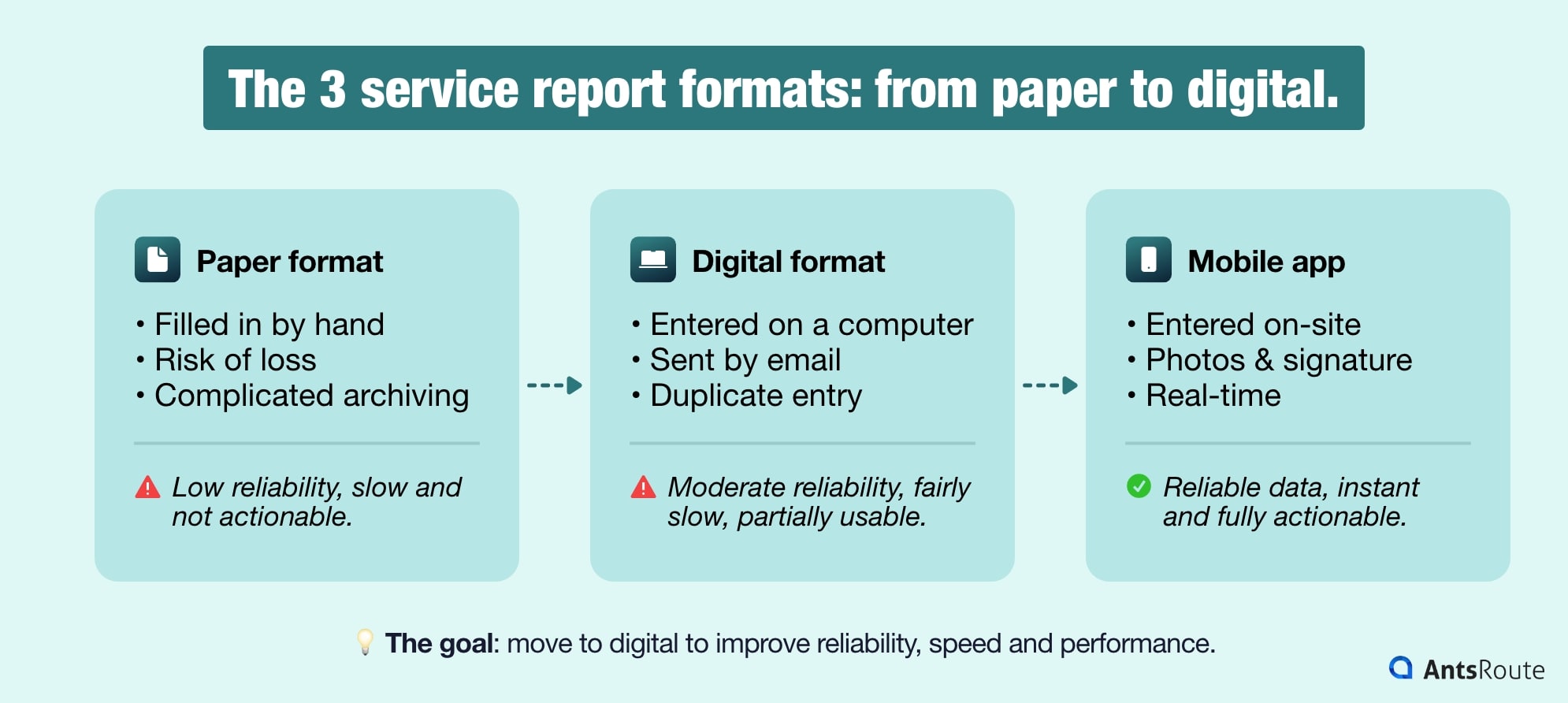
The three different service report formats.
Why Is the Field Service Report the Cornerstone of Your Field Operations Management?
Managing a mobile workforce without structured reports is like driving a lorry without a dashboard: you may be moving forward, but you’ve no idea when you’re about to run out of fuel.
Proof in Case of Disputes
Disputes, warranty issues, incidents on site… In these situations, a signed report is your best protection. When enhanced with photos, it becomes irrefutable evidence of the initial condition of the equipment and the compliance of the work carried out. It is often the difference between a legal process lasting several months and a case settled amicably in five minutes.
A Billing Accelerator
The field service report is the official “go-ahead” for invoicing. The rule is simple: the faster and more accurately it’s completed, the sooner the invoice is issued, and the quicker you get paid.
A Management Tool
When combined, your service reports become strategic performance indicators (KPIs). They enable you to analyse:
- First-Time Fix Rate: Your rate of resolution on the first visit.
- Profitability by job type: Are you spending too much time on certain underpriced operations?
- Equipment wear and tear: Which parts fail most frequently?
A Driver of Customer Satisfaction
In 2026, customers expect immediacy. Receiving a clear, detailed report, completed with photos, by email just minutes after the technician has left conveys a highly professional image. It showcases the quality of your work and helps build trust. That’s why adopting a digital field service report is essential.

What Should a Field Service Report Include?
A good report should answer five simple questions: Who? What? Where? When? How? There’s no need to write a novel, just include the relevant information, clearly structured.
The 7 Essential Pillars of Your Report
Here’s the ideal structure to make sure nothing is overlooked
- Full identification (the “Who & Where”): Data entry errors are one of the leading causes of disputes. This should include:
- Company name
- Technician’s name (or team)
- Full client contact details
- Contract or purchase order number
- Time context (the “When?”): Arrival and departure times. This is essential for time-based billing, but also enables your AntsRoute software to recalibrate future schedules based on real field conditions.
- Initial diagnosis (the “What?”): Before picking up the toolbox, the technician should record the initial situation (“Device not working”, “Leak detected on connection B”, etc.). This establishes the starting point of the job.
- Details of the work carried out (the “How?”): Avoid vague statements like “Repair completed”. Be specific about:
- Tests performed
- Adjustments made
- Final outcome
- Materials management: List precisely the parts replaced and consumables used (including references).
- Observations and recommendations: The technician is your ambassador. If they spot wear on another component, they should note it. It’s the perfect opportunity to plan a future preventive visit.
- Validation (the “Agreement”): The report must be signed by the client. The signature (ideally electronic) acts as formal approval.
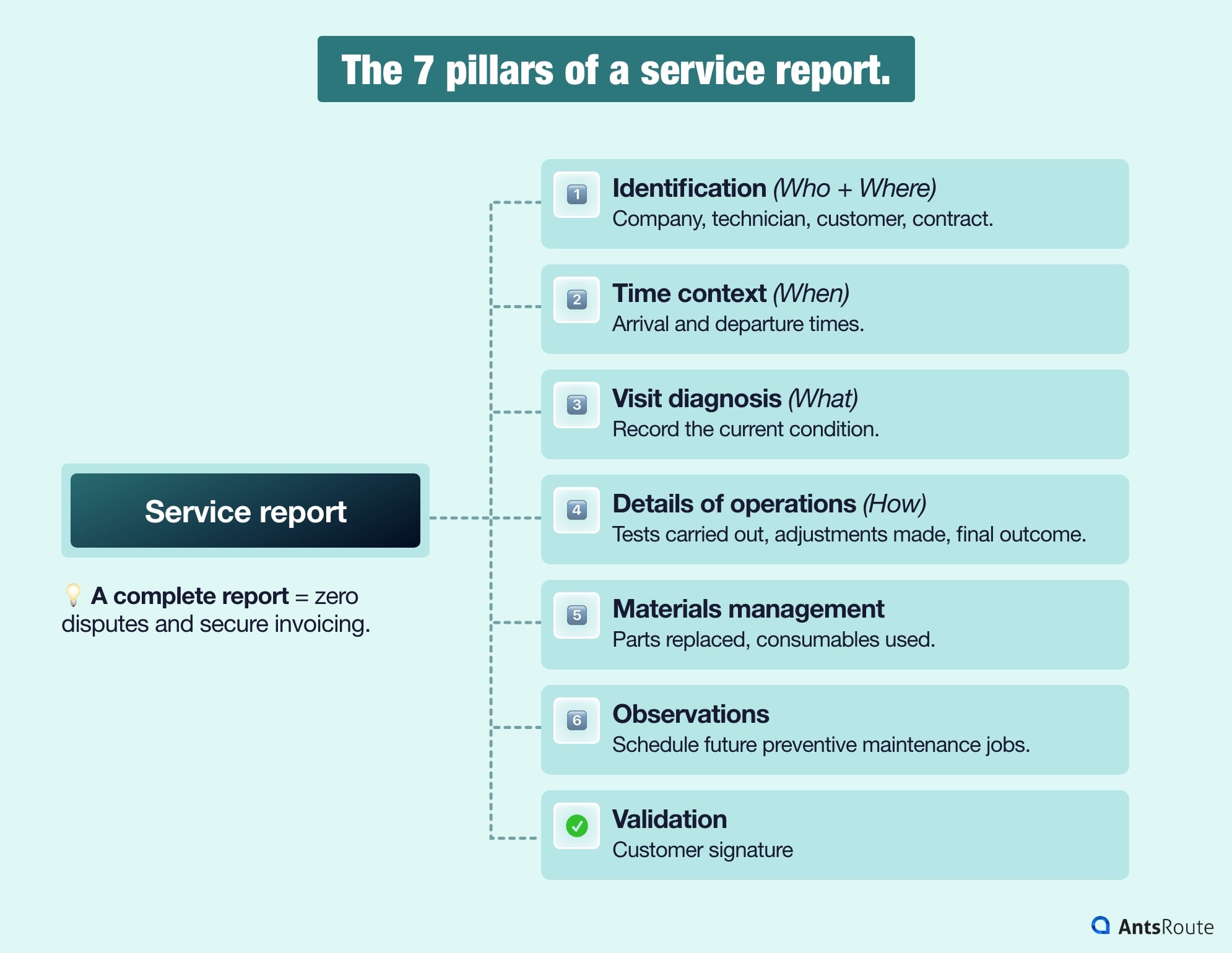
The seven pillars of a complete service report.
The Secret Weapon: Visual Evidence and Digital Tools
Beyond written content, certain digital elements can transform a standard report into irrefutable proof:
- Before/after photos: A picture is worth a thousand words when dealing with a difficult client. It’s your business’s best safeguard.
- Geolocation: Provides undeniable proof that the technician was on site.
- Customer satisfaction rating: Capturing feedback on the spot allows you to address any dissatisfaction immediately.
Tailor It to Your Industry
Every trade has its own specific requirements. Depending on your sector, don’t hesitate to include:
- The serial number or reference of the equipment serviced
- Travel time and mileage (for HR tracking or re-invoicing)
- Specific access conditions (entry codes, client absent, technical constraints)
💡 Practical tip: Identify the information that consistently comes up in your disputes or billing errors. Make these mandatory fields in your report. If it’s not useful for your operations or for the client, remove it!
Concrete Example: What Does a Field Service Report Look Like?
To help you visualise it, here’s what a typical report generated using a solution like AntsRoute looks like:
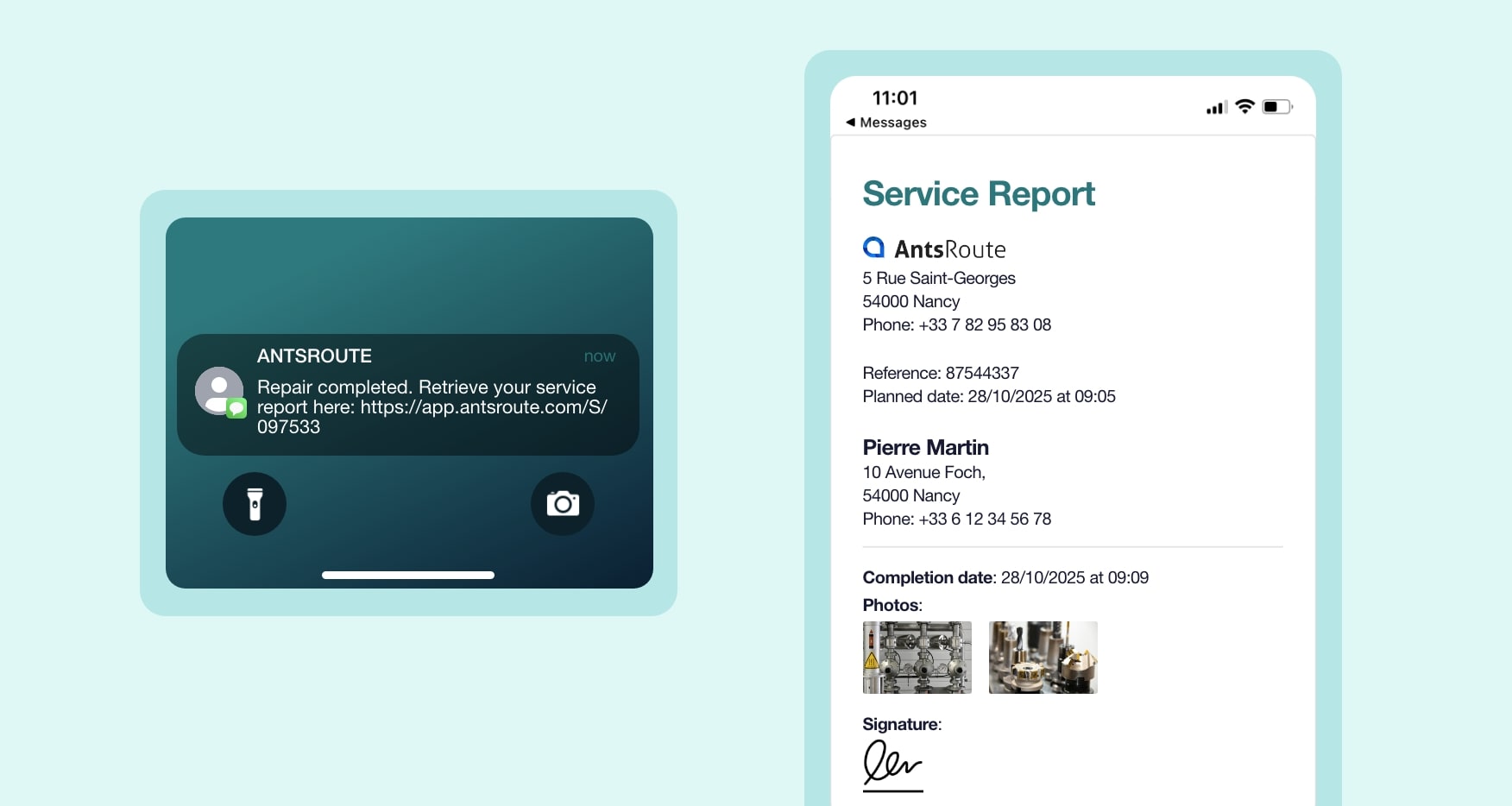
Service report generated using the AntsRoute tool.
Working in a different field? No problem: the field labels can easily be adapted to your activity, whether it’s the type of equipment, the nature of the job, or your company’s internal terminology.
Paper or Excel Reports: Why These Methods Show Their Limits
Many businesses still rely on paper out of habit. But at what cost?
Paper format: convenient but fragile
Paper is the enemy of reliable data. A document gets wet, crumpled or misplaced, and your proof of work disappears.
- Illegibility: Between crossed-out text and barely readable handwriting, your administrative team wastes a huge amount of time trying to decipher reports.
- Risk of loss: A gust of wind or a spilled coffee in the van, and your proof of work is gone.
- Transmission delays: Reports often sit in the vehicle until Friday evening. The result? Invoices are sent 10 days late. Your cash flow won’t thank you for it.
- Archiving: Finding a report from six months ago in a pile of folders is a real challenge. Not to mention that attaching photos or supporting documents is impossible.
- Environmental cost: Each sheet may seem insignificant, but for a company with 10 technicians carrying out 5 jobs a day, this quickly adds up to 12,000 sheets per year. A difficult CSR case to justify in 2026.
Excel Spreadsheets: Better Than Nothing, but Not Fit for Purpose
Excel is an office tool, not a field tool.
- Zero usability: Typing on a keyboard in a stairwell or in a van is far from practical. Without a stable internet connection, the file quickly becomes unusable on mobile.
- No “field-ready” features: Excel doesn’t natively support touchscreen signatures or integrated photo capture within the workflow. Everything remains manual.
- Version control issues: “Who has the latest version of the file?” Between broken formulas and duplicates, information gets lost and synchronisation with the office is non-existent.
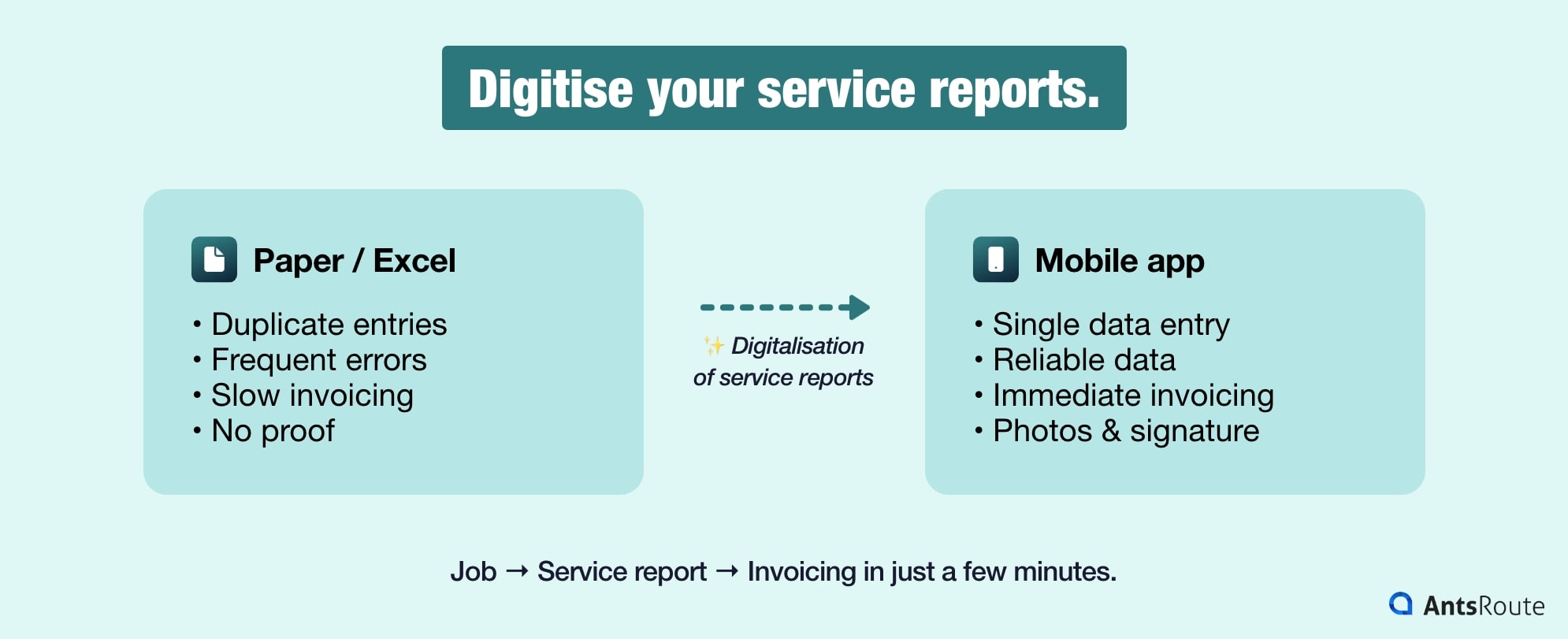
The advantages of a digital service report.
Digitising Your Field Service Reports: What Are the Concrete Benefits?
Since paper and Excel slow down your productivity, digitising your reports through a mobile application (such as AntsRoute) becomes the logical solution. Moving to digital isn’t just about changing tools, it’s about turning an administrative chore into a simple, fast and automated process.
- No more duplicate data entry (and fewer errors): This is the most immediate time-saving benefit. The technician enters the information just once, directly on site:
- Pre-filled fields: The client’s name, address and job details are already displayed thanks to synchronisation with the schedule.
- Simplified input: Instead of writing long sentences, the technician uses dropdown menus or tick boxes. It’s faster.
- Real-time responsiveness: As soon as the technician clicks “Complete”, the report is instantly sent to both the office and the client.
- Immediate invoicing: Your accounts team can generate the invoice straight away, without waiting for the van to return at the end of the week. Your cash flow will thank you.
- Live operational oversight: As a manager, you know exactly where your teams stand. Is a job running into issues? You receive updates and photos of the problem within seconds.
- Irrefutable proof (photos and signatures): Digital tools allow you to include elements that paper simply cannot provide.
- Integrated photos: The technician takes a photo of the issue or the replaced part directly within the app.
- Touchscreen signature: The client signs on the screen. This simple action carries legal weight thanks to timestamping and geolocation of the signature.
How to Successfully Implement a Field Service Report
Moving to digital doesn’t happen overnight. To ensure successful adoption, follow these key steps:
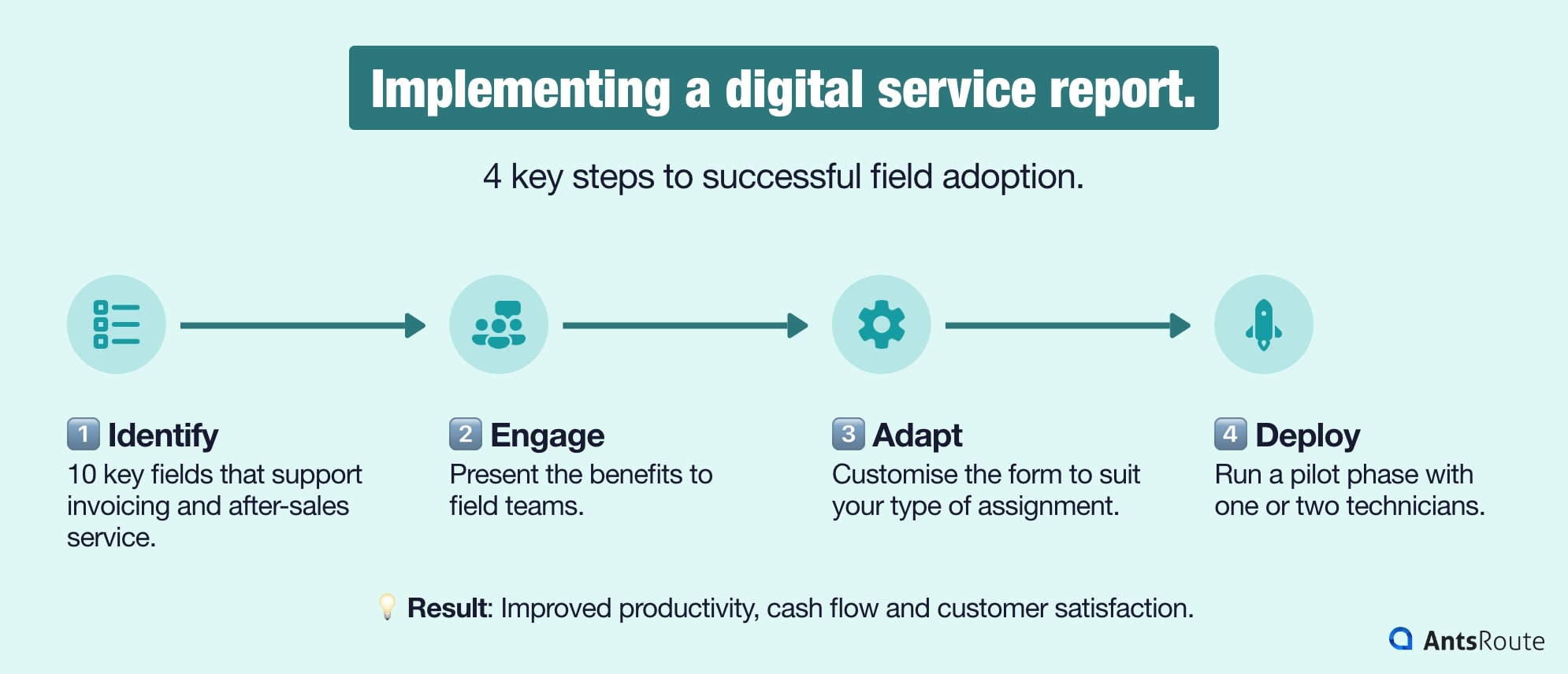
The four key steps to implementing a digital service report.
- Define what matters most: Don’t ask for 50 unnecessary data points. Identify the 10 critical fields that genuinely support invoicing or after-sales service.
- Involve your teams: Present the tool as a benefit (less paperwork at the end of the day), not as surveillance. A technician who understands how it improves their daily routine will become your best advocate.
- Customise your templates: A delivery report is not the same as a maintenance report. Adapt your forms to your different job types. To go further, discover how to configure a field service report in AntsRoute.
- Test with a pilot team: Launch a pilot phase with one or two technicians, gather feedback, refine usability, and then roll it out more widely.
In short, a field service report is far more than a formality. It’s the tool that bridges your technical expertise and your financial performance. By digitising it, you gain on all fronts: productivity, cash flow and customer satisfaction. So, ready to take things to the next level? With AntsRoute, optimise your routes and document them in just a few clicks. Try our app free for 7 days!
FAQ: Everything You Need to Know About Field Service Reports
As a rule of thumb, 5 years for commercial disputes. However, some regulated sectors (medical, gas, lifting equipment) require much longer retention periods.
Absolutely. With a tool like AntsRoute, you can create bespoke forms tailored to your specific business needs.
Yes, and it’s highly recommended. With AntsRoute, as soon as the technician validates the report on their smartphone, the client receives a PDF by email. It’s the gold standard for transparency.
Good mobile applications work offline. Data can be entered without a connection and is automatically synchronised as soon as the network is restored.
WRITTEN BY

Florine Martin
Florine has been a freelance web copywriter since 2021, writing for a variety of clients in a range of sectors. Since the beginning of 2024, she has been writing articles about logistics for our company, AntsRoute.
Free 7-day trial | No credit card required
Contenu
- Field Service Report: Much More Than Just a Document
- The 3 Key Roles of a Service Report
- Different Formats: From Paper to Digital
- Why Is the Field Service Report the Cornerstone of Your Field Operations Management?
- Proof in Case of Disputes
- A Billing Accelerator
- A Management Tool
- A Driver of Customer Satisfaction
- What Should a Field Service Report Include?
- The 7 Essential Pillars of Your Report
- The Secret Weapon: Visual Evidence and Digital Tools
- Tailor It to Your Industry
- Concrete Example: What Does a Field Service Report Look Like?
- Paper or Excel Reports: Why These Methods Show Their Limits
- Paper format: convenient but fragile
- Excel Spreadsheets: Better Than Nothing, but Not Fit for Purpose
- Digitising Your Field Service Reports: What Are the Concrete Benefits?
- How to Successfully Implement a Field Service Report
- FAQ: Everything You Need to Know About Field Service Reports