February 2026: What’s new in AntsRoute?
Blog > Product updates > February 2026: What’s new in AntsRoute?
February 2026: What’s new in AntsRoute?
Published on 25 February 2026 • Reading time: 8 min read
Our team continues to enhance AntsRoute to provide you with an ever more powerful, flexible tool tailored to the realities of your field operations.
This month, we have introduced several major updates to help you plan your jobs more effectively, improve communication with your customers and strengthen the way you manage your activity.
These improvements include enhanced availability searches, service management, greater visibility over your routes and a significant redesign of the Settings module.
Table of contents
- Search availability across up to 12 time slots
- Schedule a job with multiple service types
- Service type: define the appointment location
- Internal notifications: be alerted when your customers modify addresses
- Route history: a more comprehensive analysis of your activity
- Access the activity feed (exchanges) directly from “Notify customers”
- Complete redesign of the Settings module
- Other improvements and technical enhancements
Search availability across up to 12 time slots
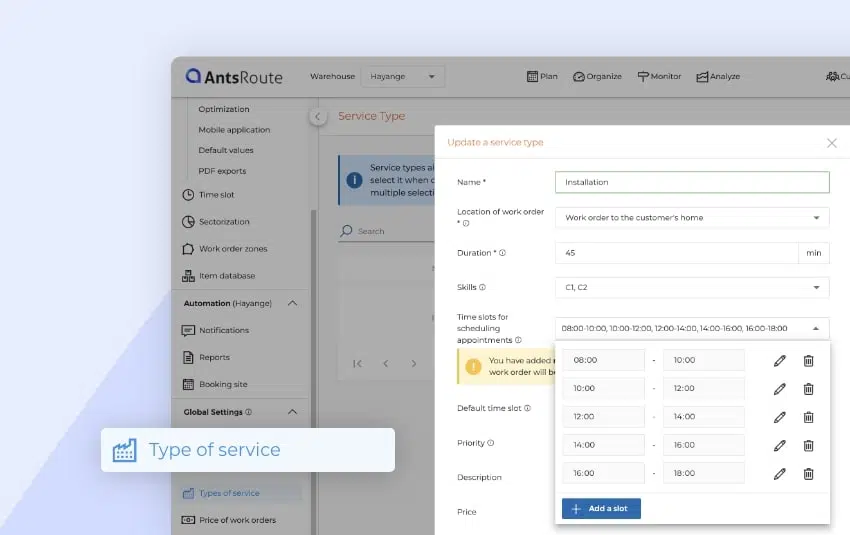
AntsRoute now allows you to take personalisation of your time slots even further. With the Service Types feature, you can configure up to 12 different time slots for a single service type, compared with 4 previously.
Greater flexibility for your planning
When scheduling a delivery or a field operation, AntsRoute displays availability based on the time slots defined in the selected service type.
By configuring additional time slots, you can:
- increase your chances of quickly finding a suitable slot,
- offer more options to your customers,
- fine-tune the optimisation of your routes.
For example, you can define precise slots such as:
- 8:00-9:00
- 9:00-10:00
- 10:00-11:00
- …
- up to 12 different time slots throughout the day.
Simple configuration from Types of service
To use this feature, simply create or edit a service type:
- Go to Settings
- Open the Types of service tab
- Add or edit a service type
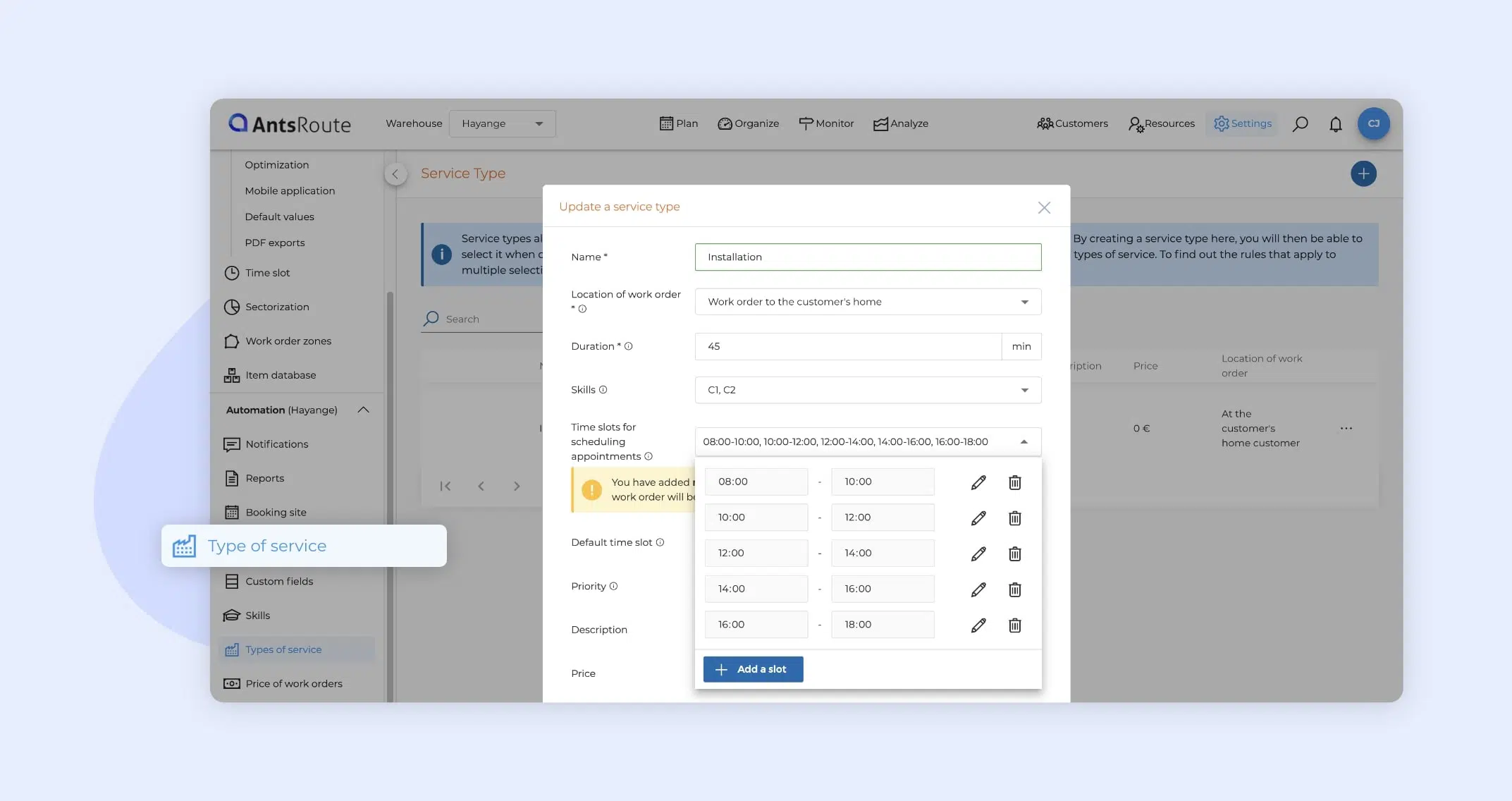
- Add up to 12 time slots by defining their start and end times
- Save your configuration
These time slots will then be automatically applied during scheduling.
Important: impact on availability display
When you configure more than 4 time slots for a service type, the availability display during scheduling will be limited to two days instead of the usual time range.
For more information, please read this support article.
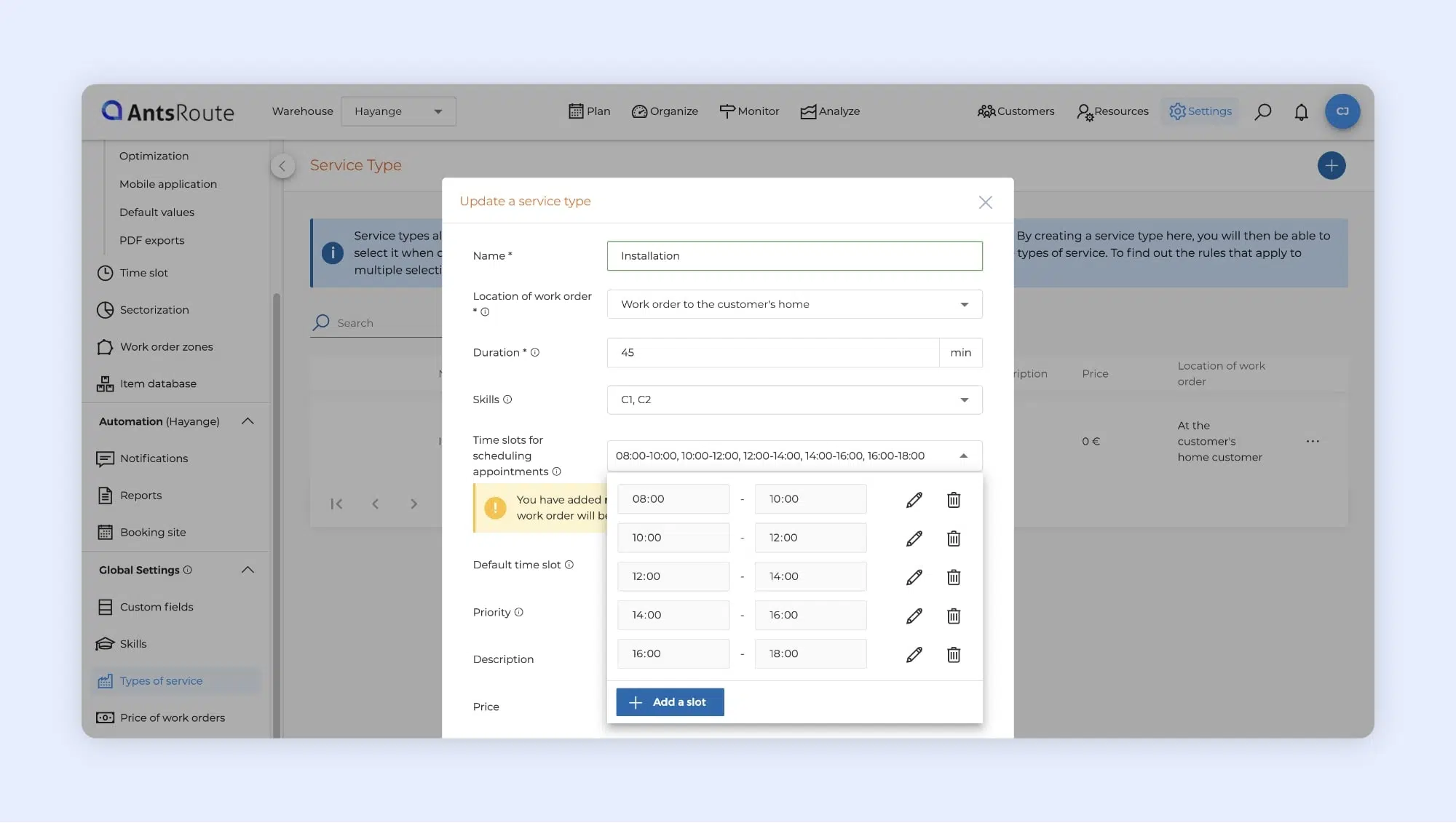
The creation of a service type with more than four time slots.
Schedule a job with multiple service types
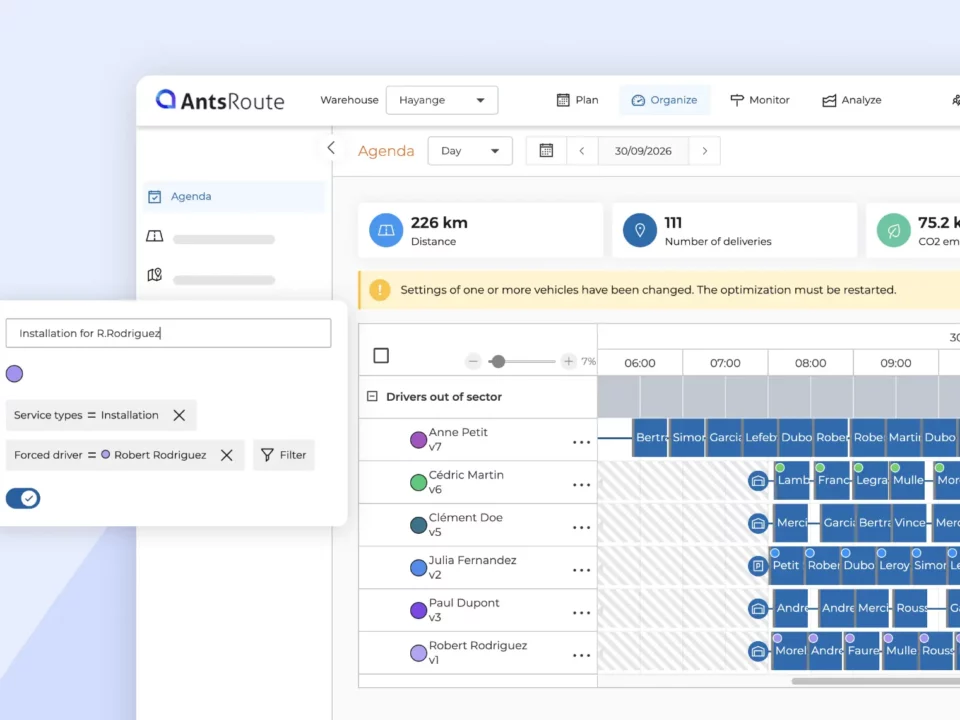
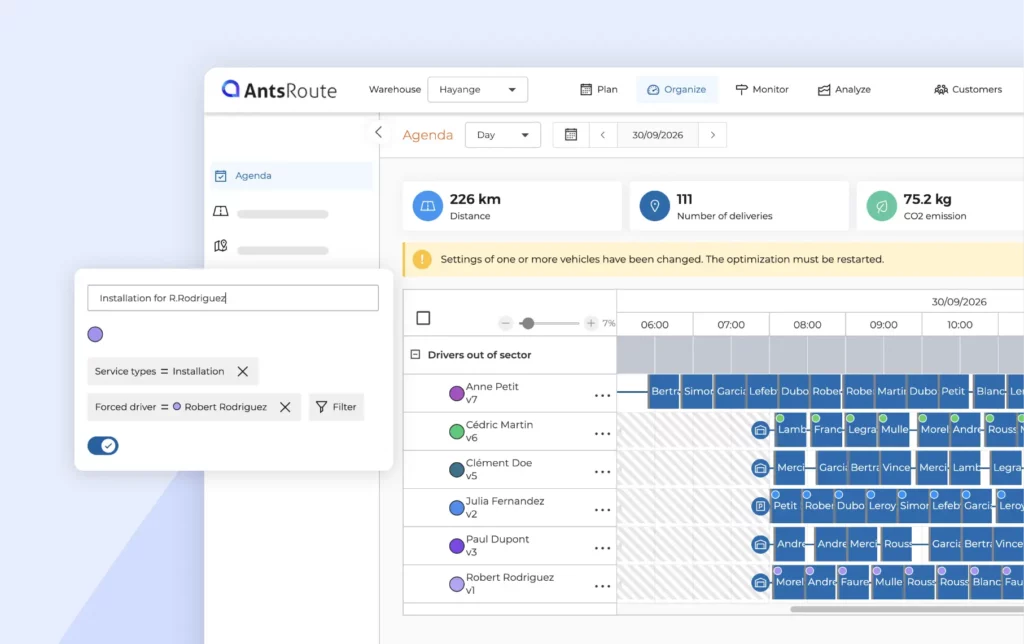
AntsRoute now allows you to select multiple service types when scheduling the same work order or delivery. This enhancement makes it easier to manage more complex jobs.
Management that better reflects the reality of your operations
Service types enable you to define standard parameters such as:
- the duration of the job,
- the required skills,
- the appointment location,
- as well as the applicable time slots.
You can now combine multiple service types within a single job. AntsRoute automatically applies the necessary rules to incorporate all related constraints into your schedule.
This allows you, for example, to plan in a single step:
- a delivery with installation,
- a job including both diagnostics and repair,
- or any assignment requiring multiple skills or consecutive stages.
Automatically combined duration and skills
When multiple service types are selected:
- the total duration of the job corresponds to the sum of the durations defined for each service,
- the required skills are combined,
- and the prices of each service are added together.
AntsRoute then automatically schedules the assignment taking all these parameters into account. Only agents with all the required skills can be assigned, ensuring the job is carried out correctly.
Rules to ensure consistent scheduling
To maintain consistency across the assignment, AntsRoute also automatically applies certain rules:
- The appointment location must be identical for all selected service types.
- The time slots defined within the service types are not used. Instead, AntsRoute applies the appointment booking time slots set in the site’s default values.
- The default time slot defined in the service types is not applied in the following cases: scheduling from the delivery basket, importing deliveries, or scheduling a recurring job. In these situations, the default time slot (basket, import, recurrence) defined in the site’s default settings is used instead.
Concrete example
You schedule a job by selecting two service types:
- Service Type A
- Duration: 20 minutes
- Required skill: Installation
- Price: €150
- Task location: At the customer’s premises
- Time slot: 08:00-10:00
- Service Type B
- Duration: 30 minutes
- Required skill: Maintenance
- Price: €55
- Task location: At the customer’s premises
- Time slot: 09:00-11:00
When scheduling:
- The total duration of the delivery is 50 minutes (20 + 30).
- The field agent must have both Installation and Maintenance skills.
- The total price of the job is €205 (€150 + €55).
- Task location: as both service types have the same location, they can be selected together.
- The time slots defined in Service Types A and B are not applied. Instead, the time slots used are those defined in the site’s default settings.
The delivery is therefore scheduled as a single assignment, incorporating all the constraints of both service types.
For more information, please read this support article.
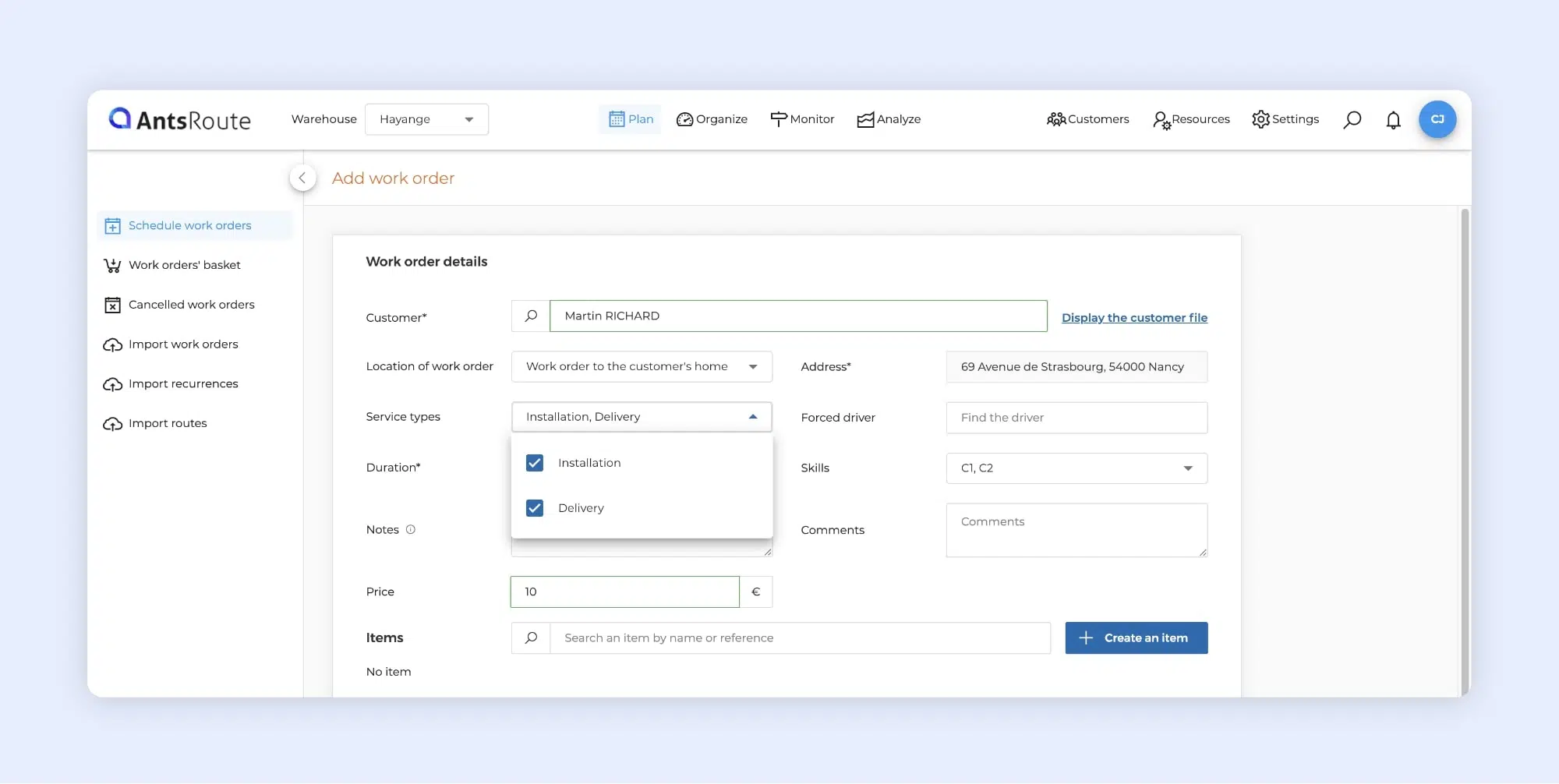
Scheduling a job with multiple types of services.
Service type: define the appointment location
The service types continue to evolve to provide you with ever more precise planning. You can now define, for each service type, the job location.
Two options are available:
- At the customer’s premises, when the job requires travel,
- Remote, for services delivered without travel, such as telephone support or a video call appointment.
To find out more about service types, please read this support article.
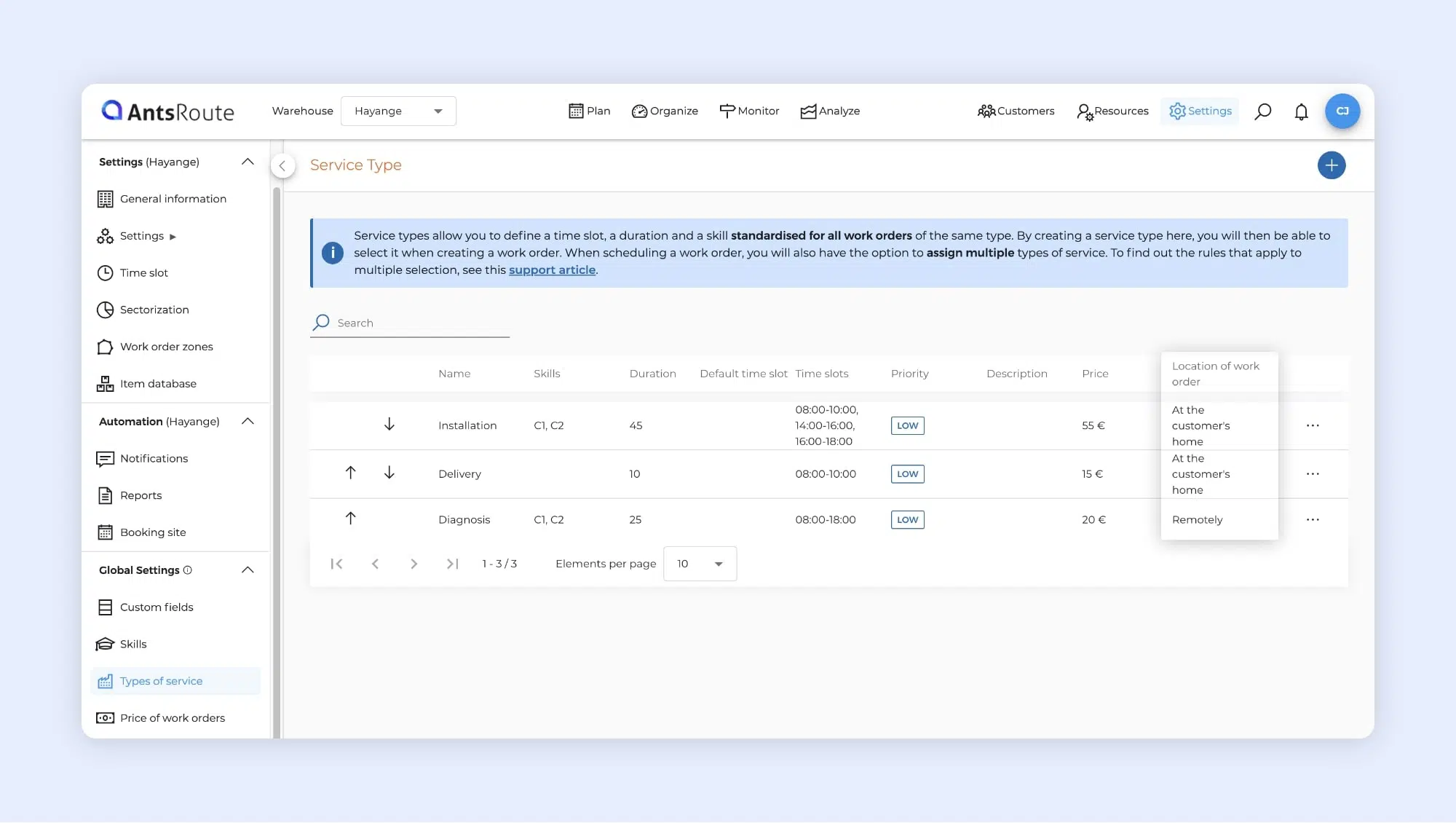
The creation of a service type with a job location.
Internal notifications: stay informed when your customers update their address
To give you better visibility, you are now automatically notified whenever a customer updates their address via the interfaces available to them (booking site or confirmation/rescheduling link).
Immediate visibility of important changes
As soon as an address is modified, an internal notification is generated. You can view it at any time via the bell icon located at the top right of the interface.
These notifications allow you to:
- detect quickly any changes that may impact your routes,
- verify the information before your field agent’s visit,
- avoid service or delivery errors,
- anticipate any necessary adjustments.
How to enable this notification
To receive an alert when a customer updates their address, simply enable the corresponding notification in your preferences:
- Click on the bell icon located at the top right of the interface.
- Click on the “…” button, then select Display preferences.
- Enable the notification “Address of the customer modified from the booking site or the rescheduling link”, on the interface and/or by email according to your preferences.
- Click Save to apply your changes.
You will then be automatically informed whenever a customer updates their address.
To find out more about user notifications, please read our dedicated article.
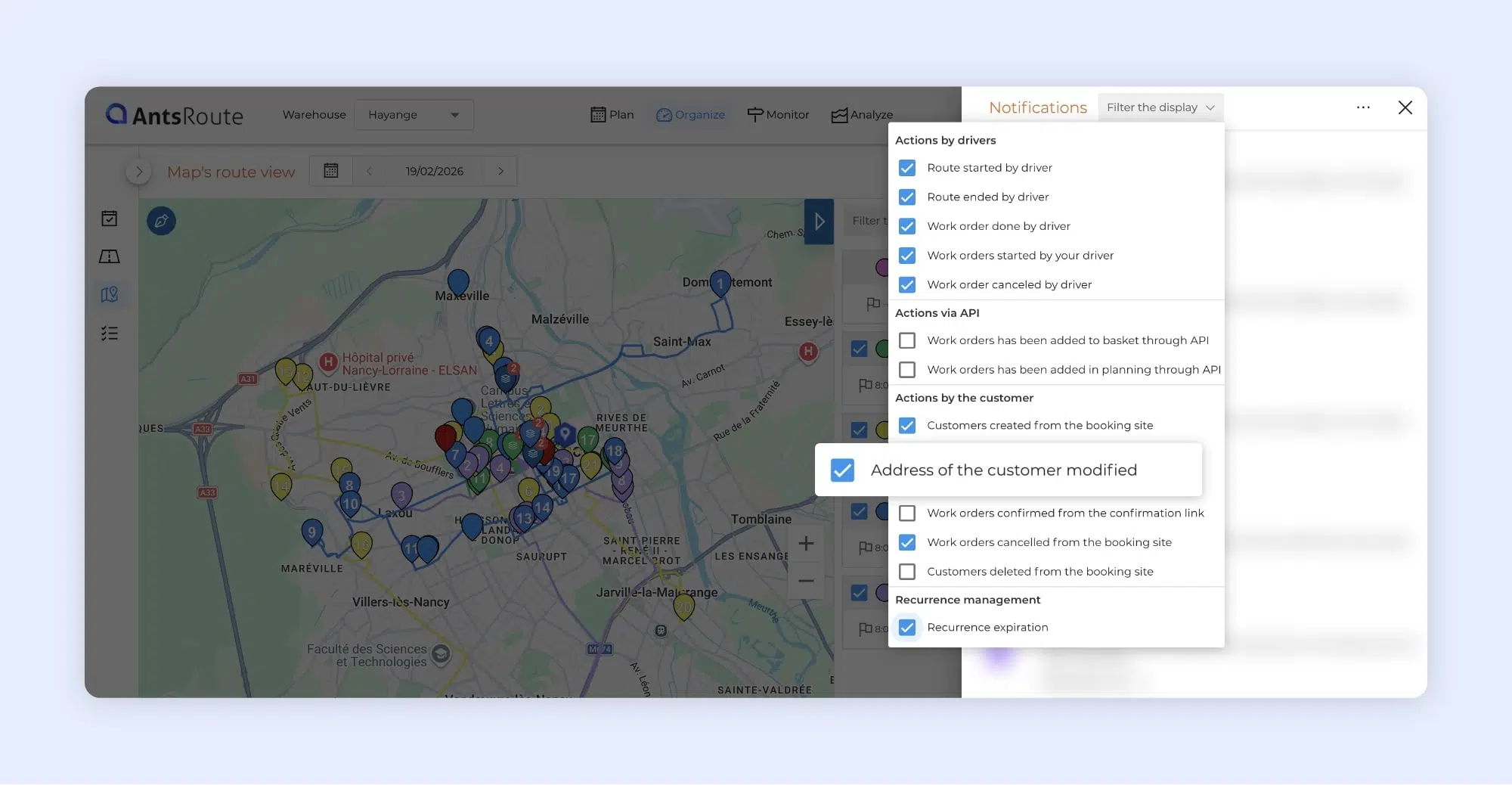
Setting up internal alerts when a client changes their address.
Route history: a more comprehensive analysis of your activity
The table available in the “Route report” tab has been enhanced with new key indicators to help you analyse your performance more effectively.
You can now view the following directly within the table:
- the route status,
- the number of completed deliveries compared with the planned one,
- the actual route start time compared with the planned start time,
- working time (actual vs planned),
- driving time (actual vs planned),
- associated costs,
- used capacity.
As a reminder, the following indicators were already available:
- the vehicle,
- the driver,
- the number of cancelled deliveries,
- the distance travelled in kilometres (vs planned distance),
- the actual route end time compared with the planned end time.
Notes:
In the tables, the values displayed correspond to the actual figures by default. When you hover over a value, a tooltip appears allowing you to view the planned figure. This makes it easier to compare the initial plan with actual execution.
To find out more about route history, please refer to our dedicated article.
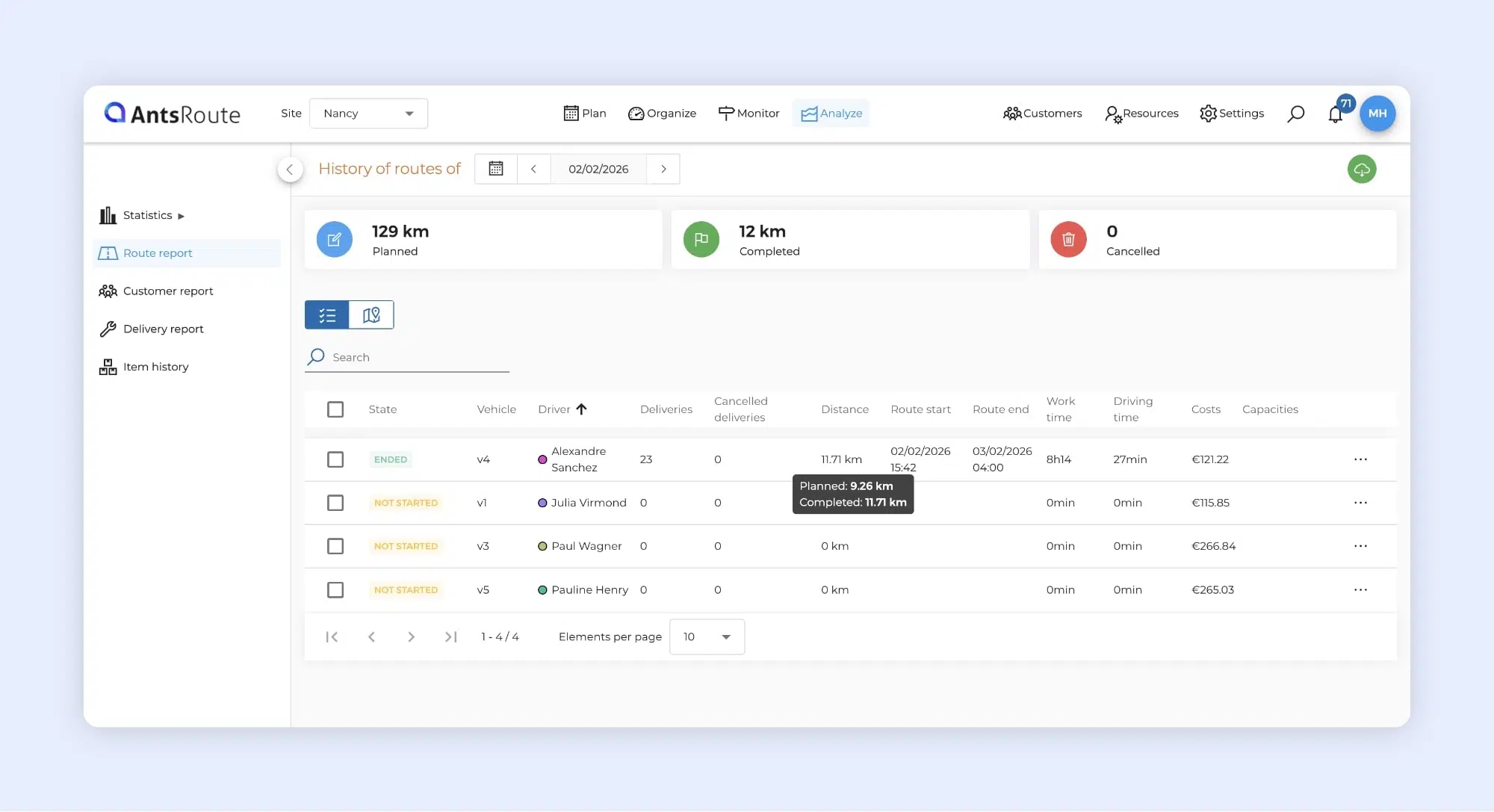
Performance analysis of route indicators on AntsRoute.
Access the activity feed (exchanges) directly from “Notify customers”
When sending bulk notifications, you can now access a customer’s activity feed in a single click, directly from the “Notify customers” table.
In the “Notifications sent” column, simply click on “Activity feed”: a side panel opens instantly, allowing you to view all interactions with that customer.
A complete overview of the interaction history
As a reminder, from this activity feed you can access all relevant information, including:
- the history of notifications sent,
- comments associated with the customer,
- incoming and outgoing calls,
- emails sent and received,
- as well as pending tasks.
To find out more about how the conversation thread works, please refer to our dedicated article.
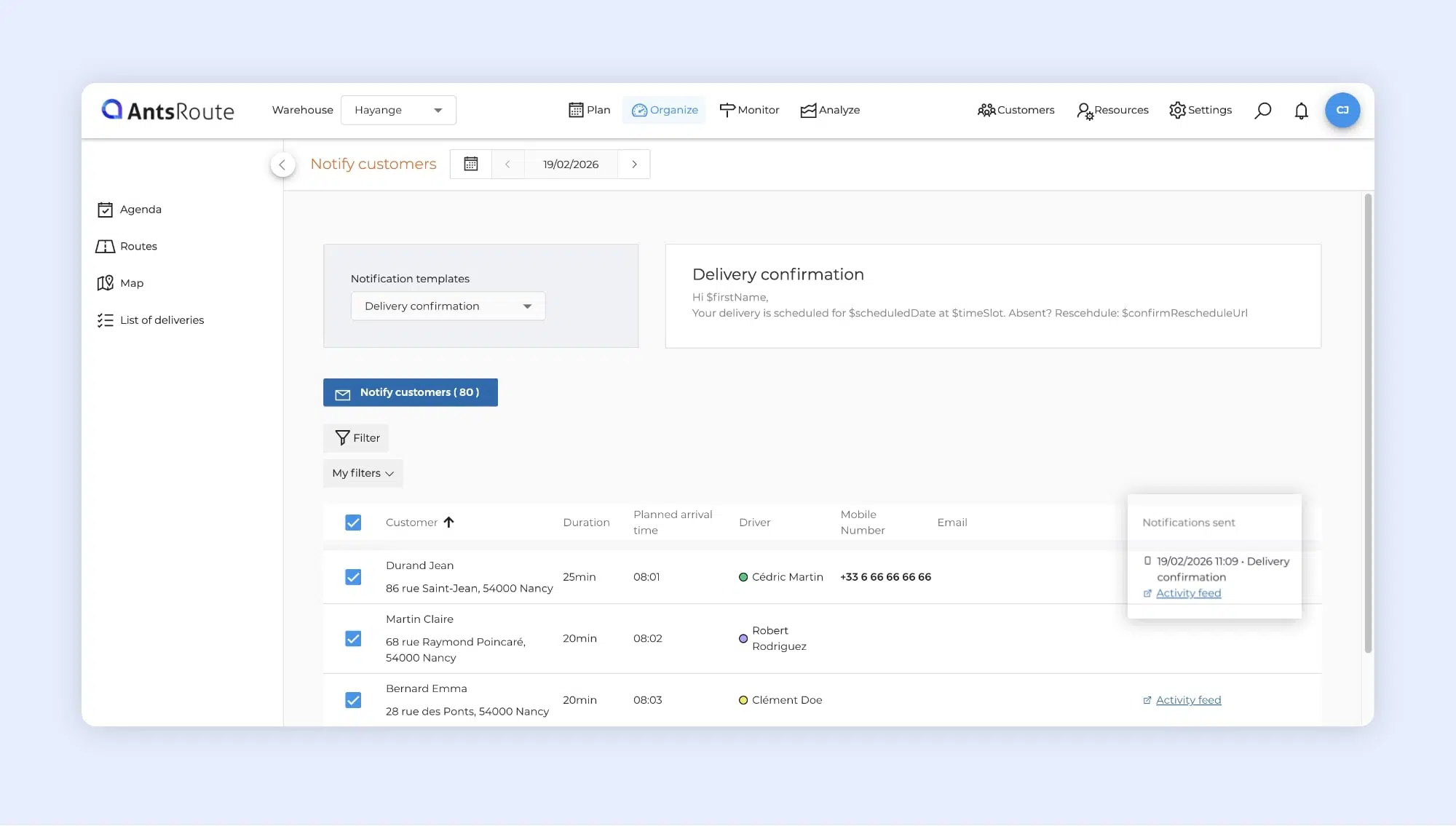
The access to a customer’s activity feed on AntsRoute.
Complete redesign of the “Settings” module
We have completely redesigned the Settings module to make configuring your account simpler, clearer and more intuitive.
A clearer and more structured organisation
The Settings > Settings module is now organised into five main categories:
- General
- Optimisation
- Mobile application
- Default values
- PDF exports
The various options have been logically grouped into subcategories within these sections, making navigation easier and helping you quickly find the settings you need.
Faster and more intuitive configuration
This new structure allows you to access essential settings more quickly, gain a better understanding of your account configuration, and adjust your parameters more easily.
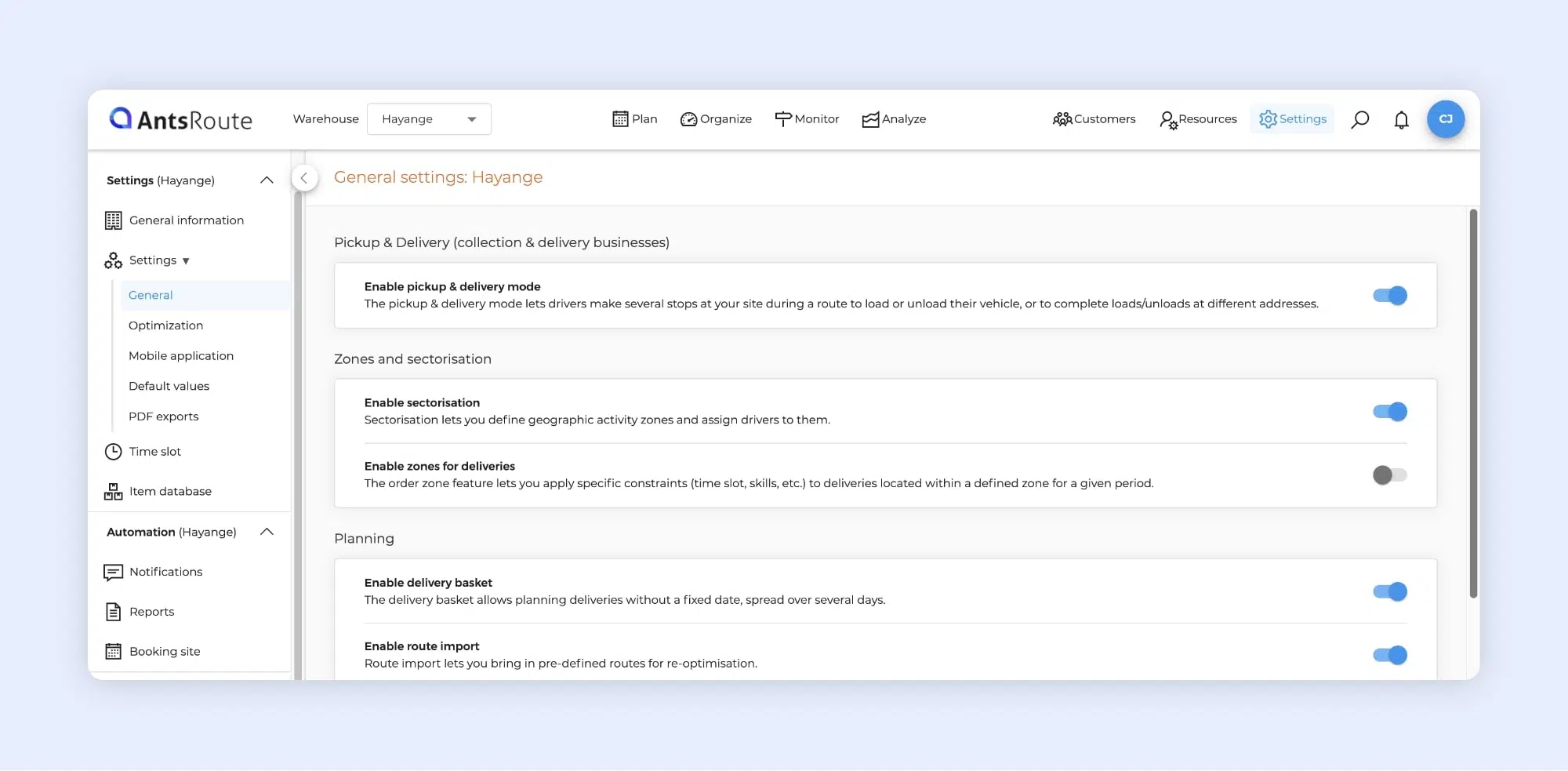
The management of settings on AntsRoute.
Other improvements and technical updates
Improved internal notifications
Internal notifications have been enhanced to give you better visibility of jobs added via the booking site. From now on, when a job is added to the basket through the booking site, a specific notification is generated with a clear message indicating that it has been added to the basket. Previously, the message was identical to that used for jobs added directly in the Organise module.
New endpoints in the public API
To make integration with your business tools easier, two new endpoints have been added:
- retrieve all agents for a site,
- retrieve all routes for a given date.
Any questions? Our support team remains at your disposal via the chat in your AntsRoute workspace or by email.
WRITTEN BY

Marie Henrion
At AntsRoute, Marie has been the marketing manager since 2018. With a focus on last-mile logistics, she produces content that simplifies complex topics such as route optimization, the ecological transition, and customer satisfaction.
Optimise your Routes Today
Free 7-day trial | No credit card required
Contenu
- Search availability across up to 12 time slots
- Greater flexibility for your planning
- Simple configuration from Types of service
- Important: impact on availability display
- Schedule a job with multiple service types
- Management that better reflects the reality of your operations
- Automatically combined duration and skills
- Rules to ensure consistent scheduling
- Service type: define the appointment location
- Internal notifications: stay informed when your customers update their address
- Immediate visibility of important changes
- How to enable this notification
- Route history: a more comprehensive analysis of your activity
- Access the activity feed (exchanges) directly from “Notify customers”
- A complete overview of the interaction history
- Complete redesign of the “Settings” module
- A clearer and more structured organisation
- Faster and more intuitive configuration
- Other improvements and technical updates
- Improved internal notifications
- New endpoints in the public API
- Optimise your Routes Today