April 2026: What’s new in AntsRoute?
Blog > Product updates > April 2026: What’s new in AntsRoute?
April 2026: What’s new in AntsRoute?
Published on 28 April 2026 • Reading time: 5 min read
This month, we’ve rolled out several improvements to make your AntsRoute experience even smoother, more efficient, and better suited to your field operations. Integration, usability, item management, mobile… discover everything that’s new.
Table of contents :
- A new interface for planning with scoring
- Faster maps with HERE
- A clearer and more intuitive filter interface
- Improvements to item management
- Add new packages directly from the mobile app
- AntsRoute now compatible with Odoo 19.0
- Other improvements
A new interface for planning with scoring
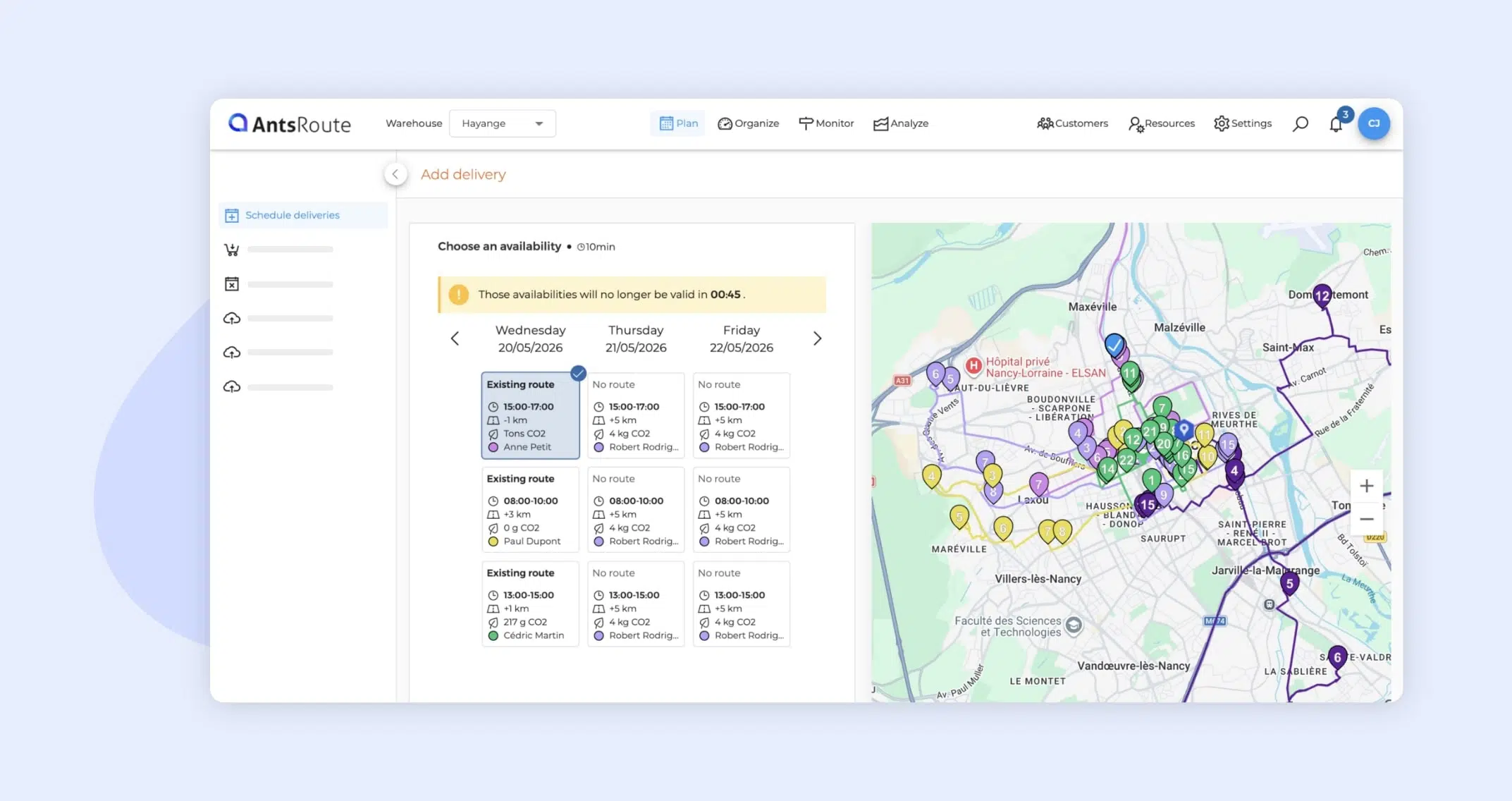
The interface for scheduling jobs with availability search has been completely redesigned.
What’s new:
- A more modern design
- A responsive interface
- Simplified information display
This redesign significantly improves usability for manual planning.
Note: This new display is available both when planning from the Organize module and from the Monitor module.
➡️ To learn more about planning with scoring, check out our support article.
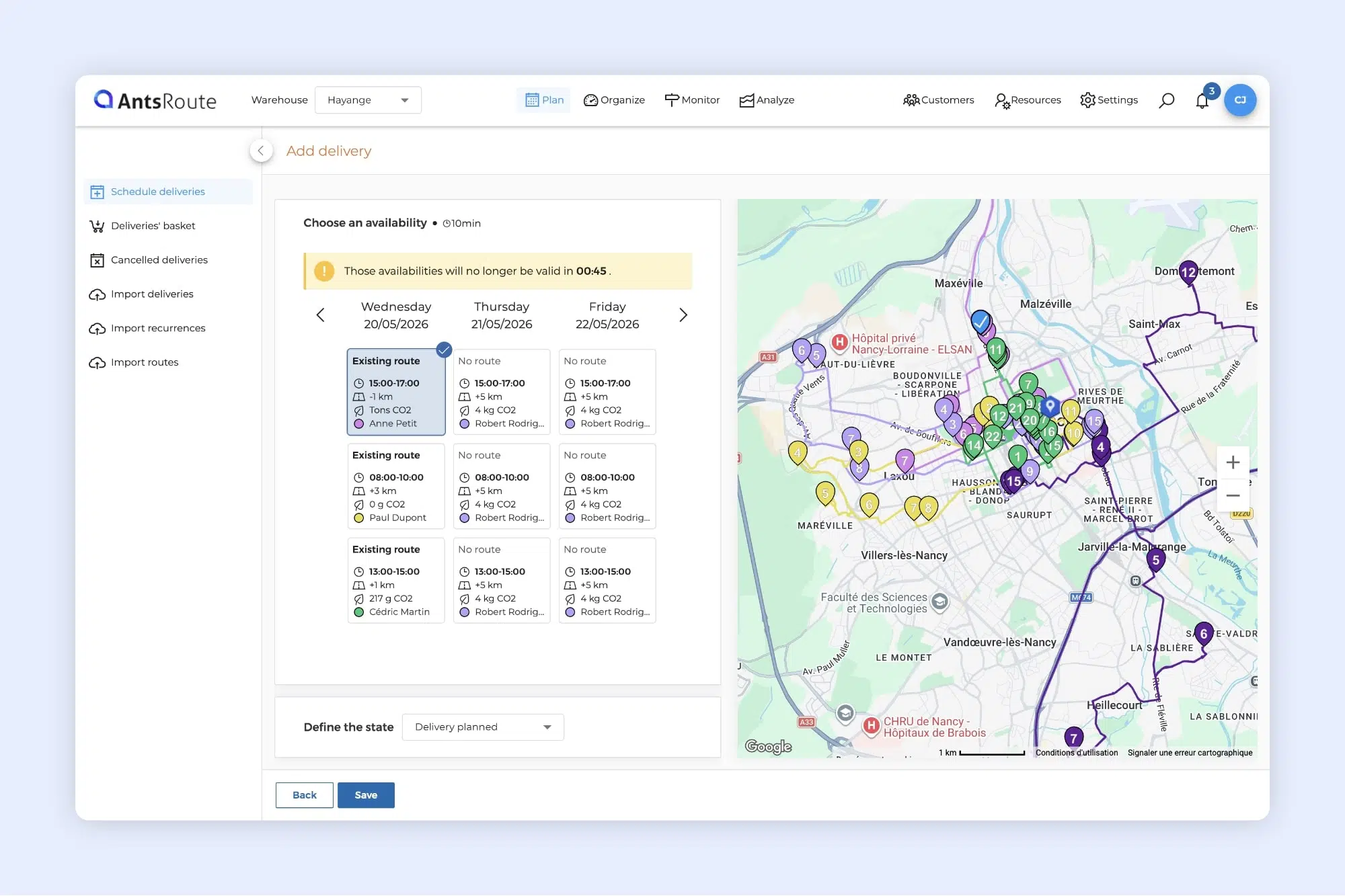
Availability search on AntsRoute.
Faster maps with HERE Technologies
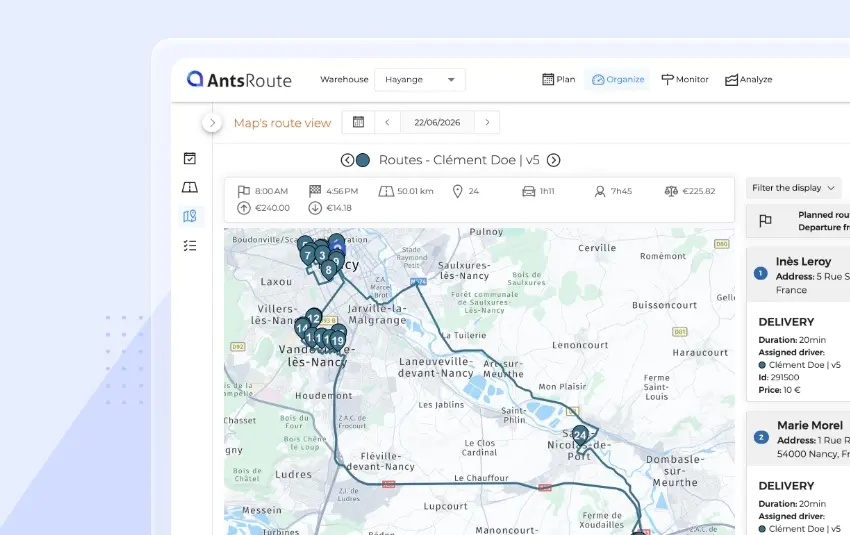
We have replaced Google Maps and OpenStreetMap with maps from HERE Technologies.
This change comes with a noticeable performance boost:
- Faster map loading
- Smoother navigation
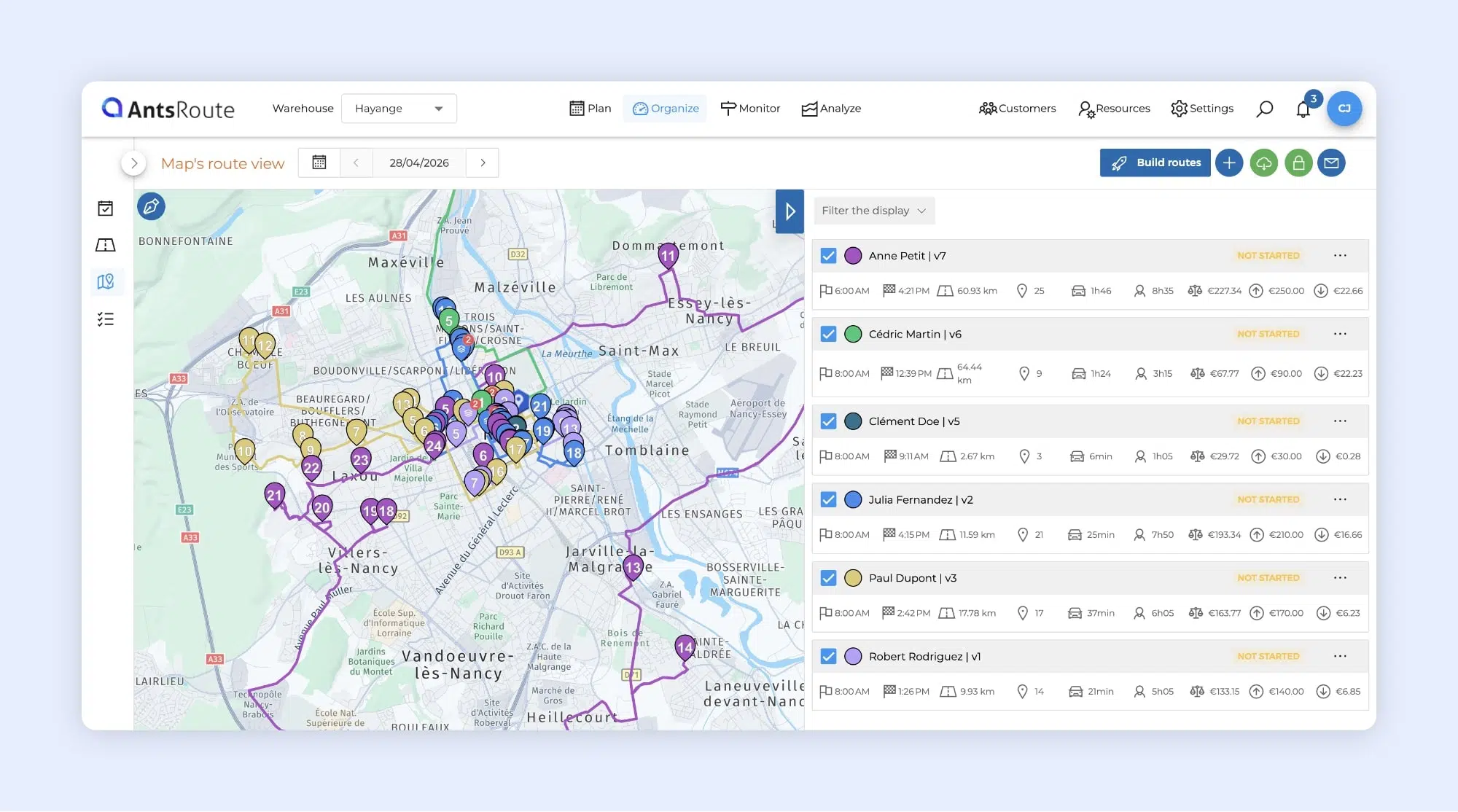
The new HERE Technologies map on AntsRoute.
A clearer and more intuitive filter interface
We’ve improved the display of filters in tables to provide a smoother navigation experience.
Previously, custom fields and capacities were displayed in a single list without any distinction. Now:
- Elements are grouped by category
- Titles and icons make identification easier
- Custom field categories are clearly visible
Result: faster reading and a more user-friendly experience, especially for accounts with many custom fields.
➡️ To learn more about using filters, check out our support article.
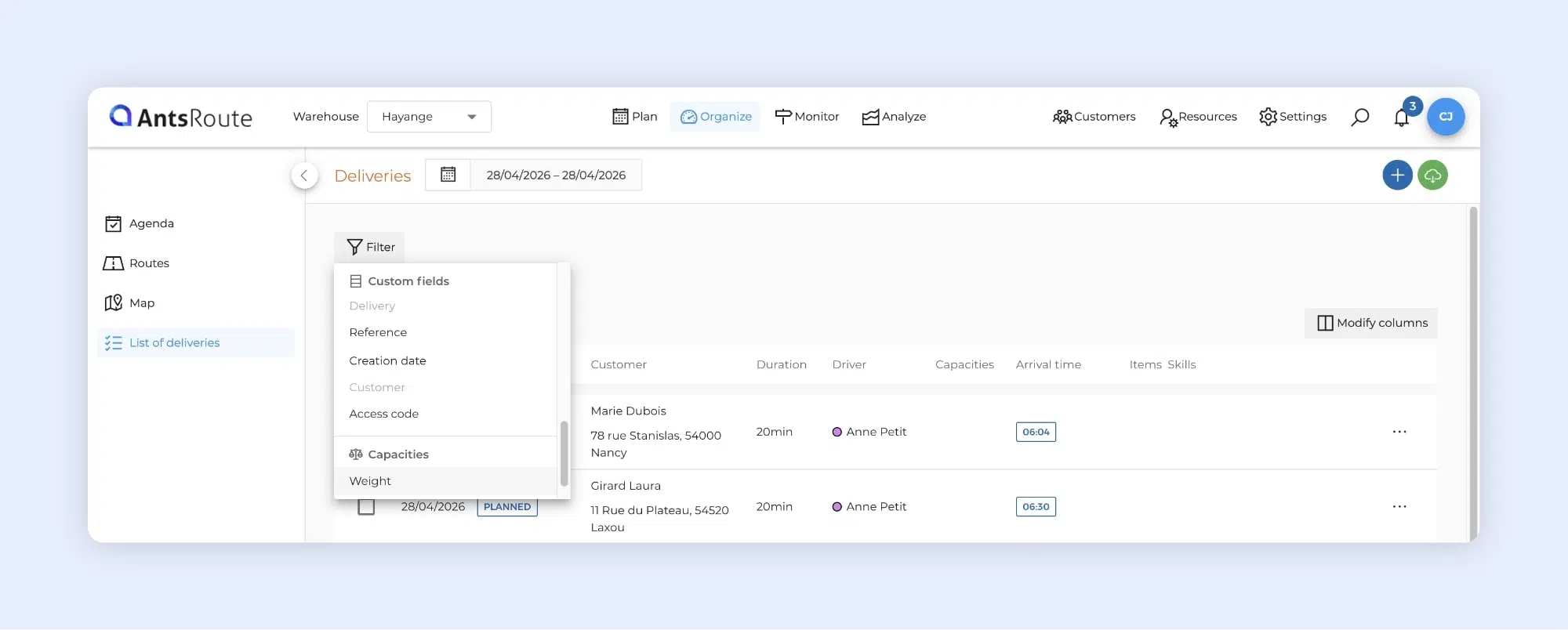
The new filter display on AntsRoute.
Improvements to item management
If you use item management in AntsRoute, several enhancements have been introduced to improve your daily operations.
A clearer history view
We’ve updated the columns in the Item history tab to make data easier to understand:
- The “Customer” column is now labeled “Delivery”
- A new “Delivery time” column has been added
For users of the pickup & delivery mode:
- New “Loading / Unloading” columns
- New “Loading / unloading time” column
Items now available in PDF route exports
You can now include your items in the PDF export of your routes.
This is especially useful for sharing complete information with your field teams, particularly if you rely on paper route sheets rather than the mobile app.
To enable this option, go to:
Settings > Settings > PDF exports > Route export
In the Delivery section, check the “Items” box, then save your changes.
Export items in CSV or Excel
From the item list or item history, you can now export your data in CSV or Excel format.
Your file includes:
- Item name and status
- Quantity and unit
- Customer information
- Dates and times
- Assigned driver
➡️ To learn more about the Item history tab, check out our support article.
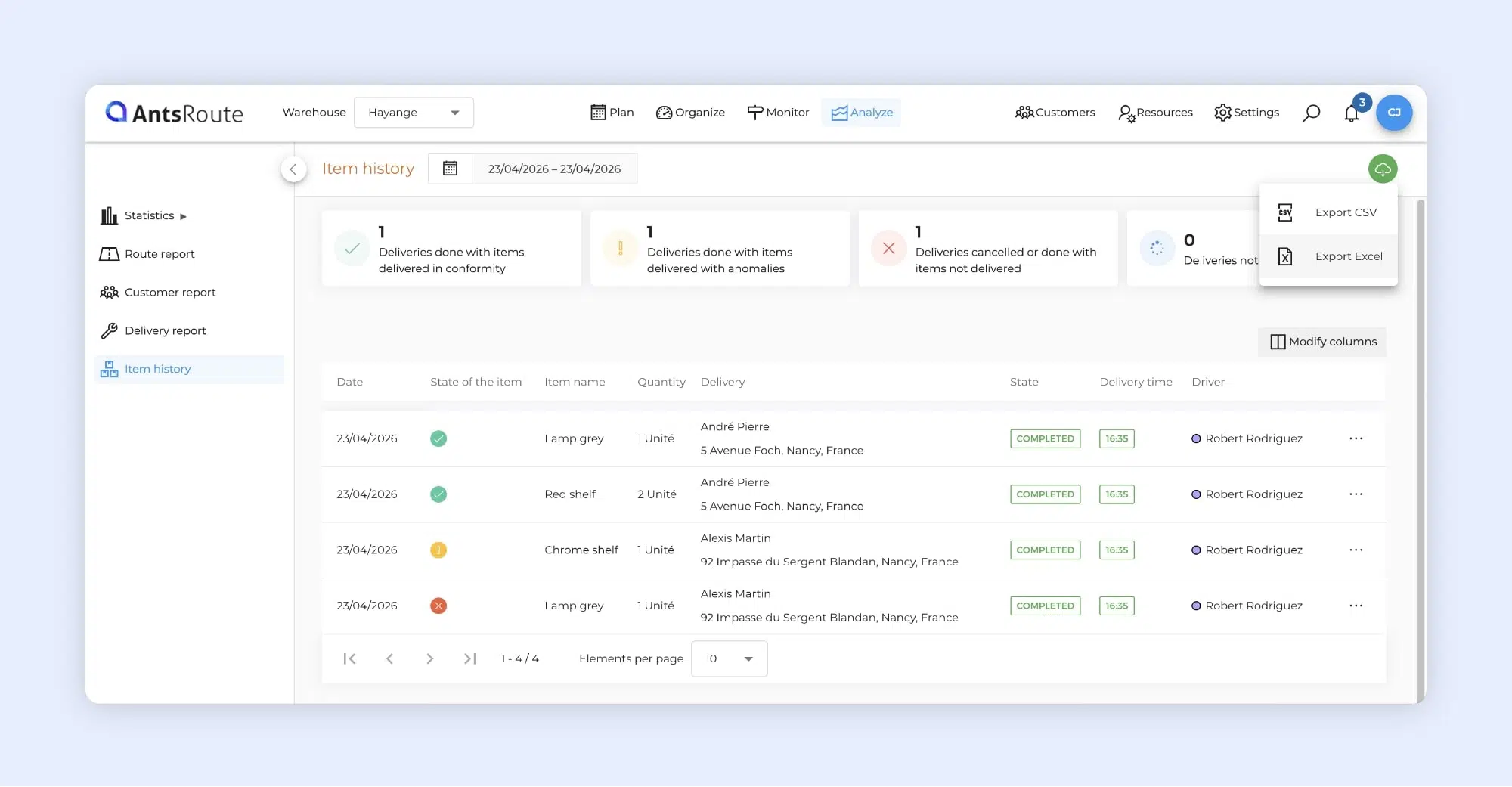
Exporting the list of delivered items on AntsRoute.
Add packages directly from the mobile app
Drivers gain more autonomy in the field!
From now on, when a scanned package is not recognized, the app automatically suggests adding it to a delivery or a loading.
This feature is particularly useful for handling unexpected situations, such as a parcel added at the last minute or not previously recorded in the system.
A few details:
- This option must be enabled in Settings > Settings > Mobile app > Field tracking and proof of visit > Allow drivers to add packages
- Package dimensions cannot be entered using this method
- In pickup & delivery mode, since loading (or unloading) is grouped into a single step, you can select the associated customer
➡️ To learn more about this feature, check out our support article.
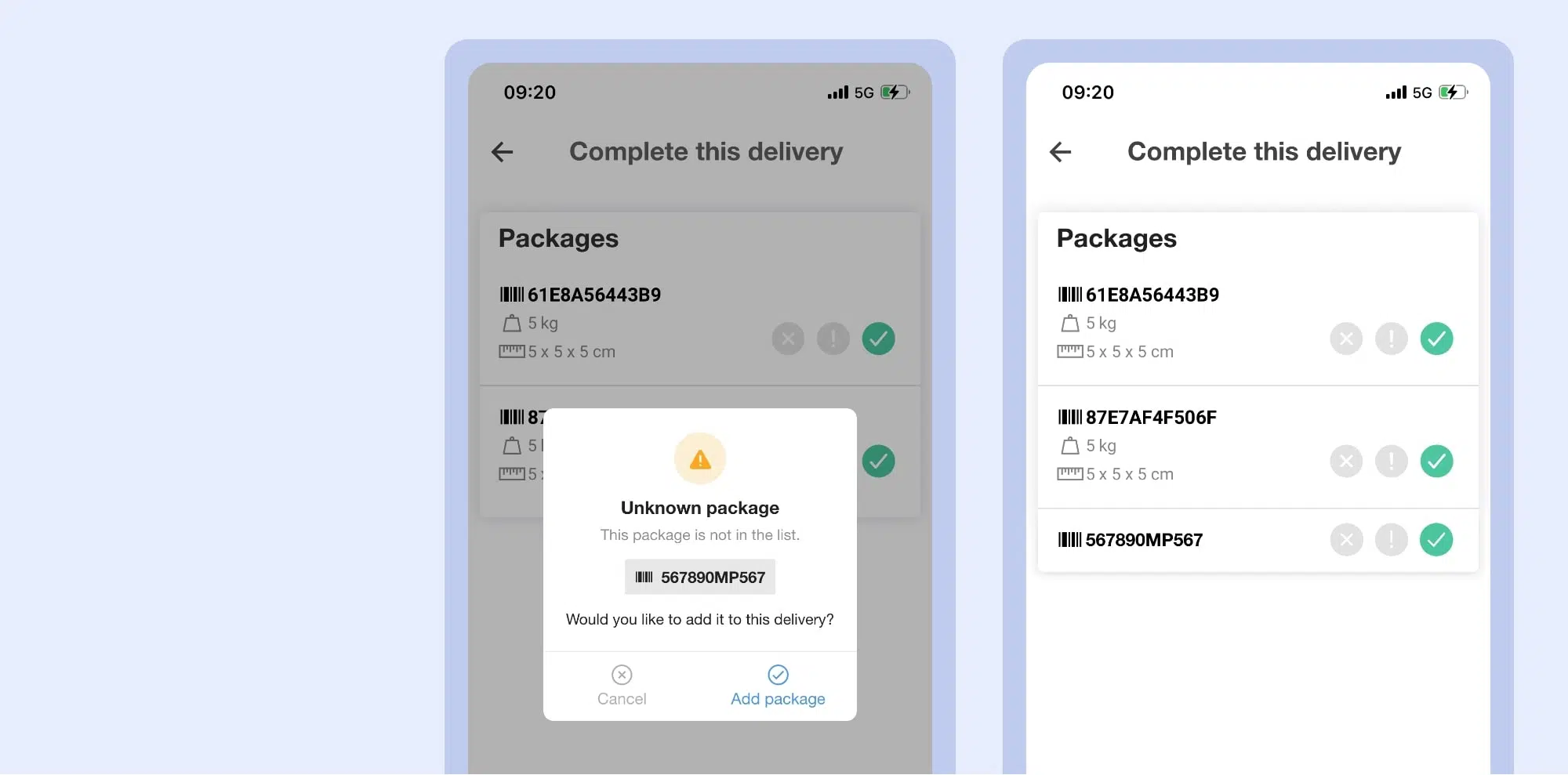
Adding packages from the mobile application.
AntsRoute now compatible with Odoo 19.0
Good news for ERP users: AntsRoute is now compatible with version 19.0 of Odoo.
As a reminder, the integration between Odoo and AntsRoute allows you to automatically transfer your delivery requests to optimize your routes in just a few clicks.
With this connector, you can:
- Send your deliveries from Odoo to AntsRoute
- Plan your routes more efficiently
- Track delivery status directly from your Odoo interface
➡️ To learn more about setting up the Odoo integration, check out our support article.
Other improvements
We’ve also made several adjustments to simplify your experience:
- From the Vehicles and Agents tabs, the buttons to add capacities and skills have been replaced with “Manage capacities” and “Manage skills” Clicking these buttons now takes you directly to the corresponding pages. Once your changes are made, a simple click on the back button allows you to easily return to the vehicle or agent profile.
- The “Cancelled” status now includes rescheduled jobs in the filters.
- Until now, email notifications were sent from the address noreply@antsroute.com, with no option for customization. It is now possible to set an email address of your choice as the sender. To do so, simply contact support by email.
- The Statistics module has been redesigned for better clarity. Previously, margins, revenue, and costs were grouped on a single page. Now, this data is split into three separate tabs:
- Margins
- Turnovers
- Costs
Any questions? Our support team is available via the chat in your AntsRoute space or by email.
WRITTEN BY

Marie Henrion
At AntsRoute, Marie has been the marketing manager since 2018. With a focus on last-mile logistics, she produces content that simplifies complex topics such as route optimization, the ecological transition, and customer satisfaction.
Optimise your Routes Today
Free 7-day trial | No credit card required
Contenu
- A new interface for planning with scoring
- Faster maps with HERE Technologies
- A clearer and more intuitive filter interface
- Improvements to item management
- A clearer history view
- Items now available in PDF route exports
- Export items in CSV or Excel
- Add packages directly from the mobile app
- AntsRoute now compatible with Odoo 19.0
- Other improvements
- Optimise your Routes Today